

How to Create a Freight Delivery Cost Calculator for a Logistics Company
In this guide, we will build an online freight delivery calculator in Cowculator: with cargo type, route type, distance, service level, vehicle type, extra services, helper formulas, a conditional delivery-time result, a contact form, social links, and a public link.
A calculator like this can be used on a logistics company website, in ads, in Instagram or Telegram conversations, in sales proposals, or as a separate page for quick preliminary freight estimates.
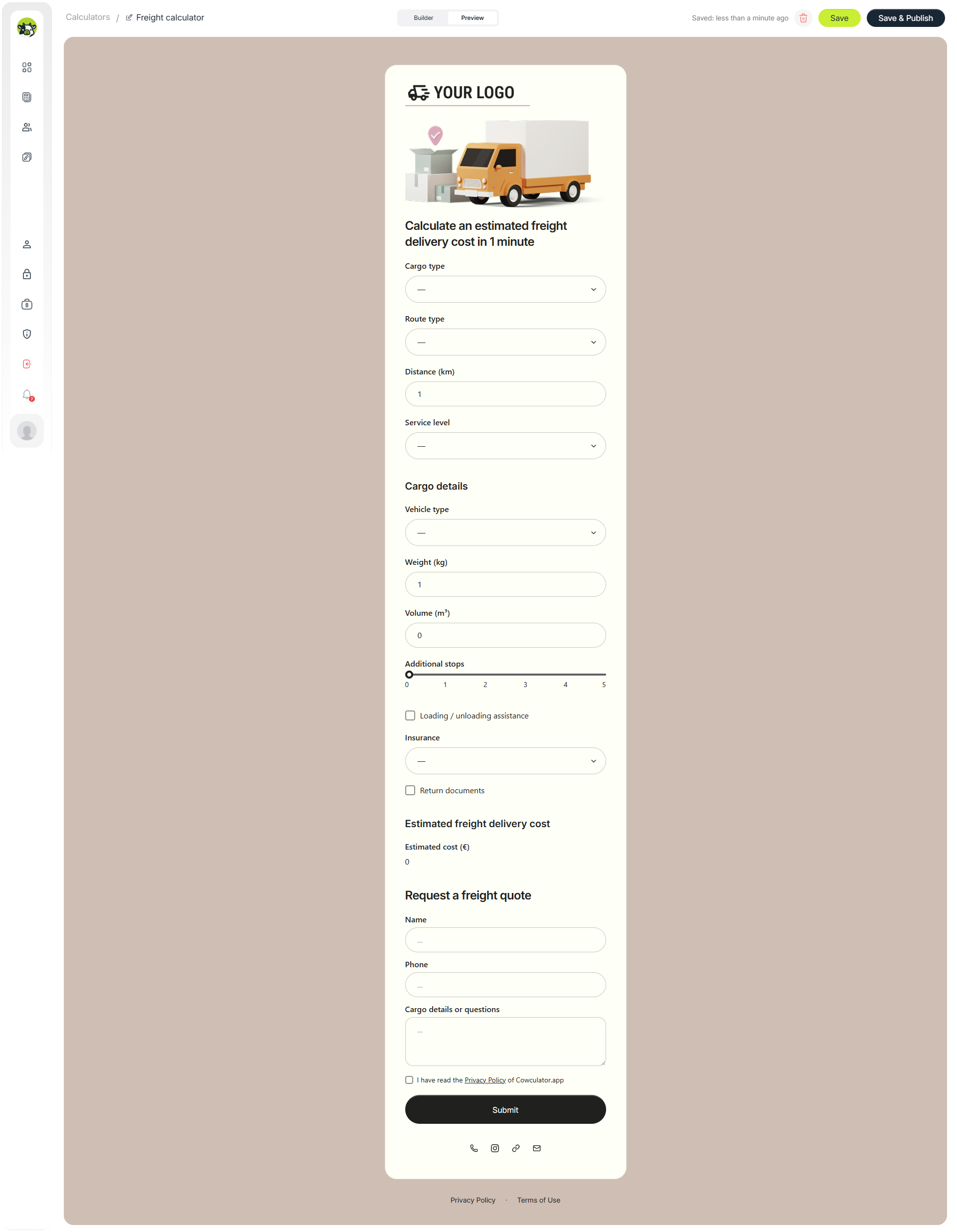
Quick answer: what we are going to build
The goal is not just to create a form with a few questions. The goal is to give the customer a quick estimated delivery price and help the logistics company receive a more qualified request with the main shipment parameters already collected.
- Create the freight delivery calculator structure.
- Add fields that affect the price: cargo type, route type, distance, vehicle type, weight, and volume.
- Add extra services: loading assistance, insurance, return documents, and additional route options.
- Create technical helper calculations.
- Build the final estimated cost formula.
- Add conditional logic for estimated delivery time.
- Add a contact form, privacy policy, social links, and a public calculator link.
The numbers in this article are examples for demonstrating the logic. For a real logistics company, replace them with your own tariffs: price per kilometer, coefficients for cargo type, vehicle surcharges, insurance fees, loading assistance, and additional stops.
What the freight calculator structure looks like
For the customer, the calculator should feel simple: choose cargo type, define the route, enter the distance and shipment details, and get an approximate price. Internally, however, it is better to split the logic into separate blocks so the formulas are easier to maintain.
Main parameters
Cargo type, route type, distance, service level, vehicle type, weight, and volume.
Extra services
Additional stops, loading and unloading assistance, insurance, return documents, or other delivery options.
Lead capture after the estimate
Contact form, privacy policy, social links, and a public page for sharing the calculator.
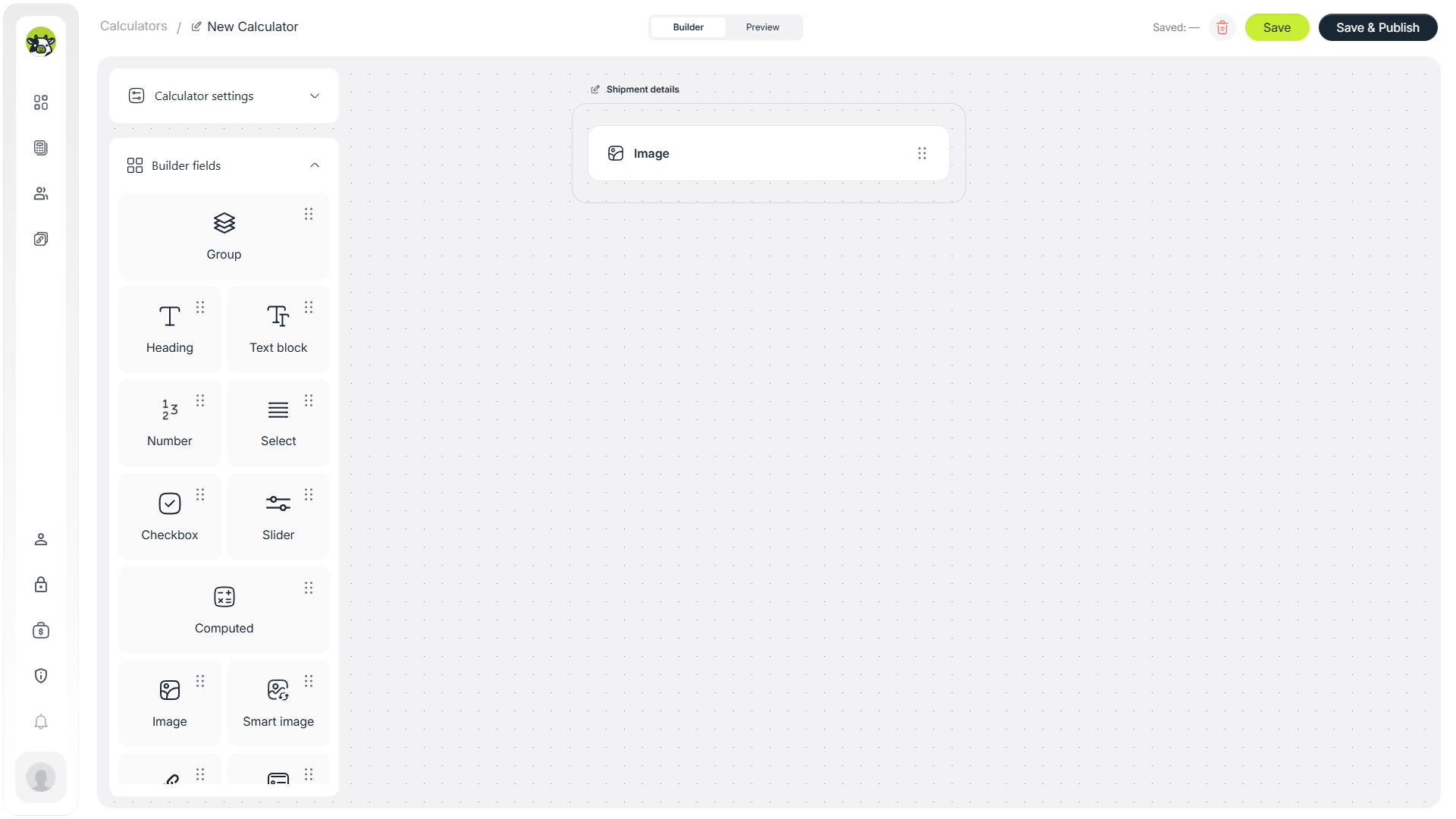
Step 1. Set up the first screen of the calculator
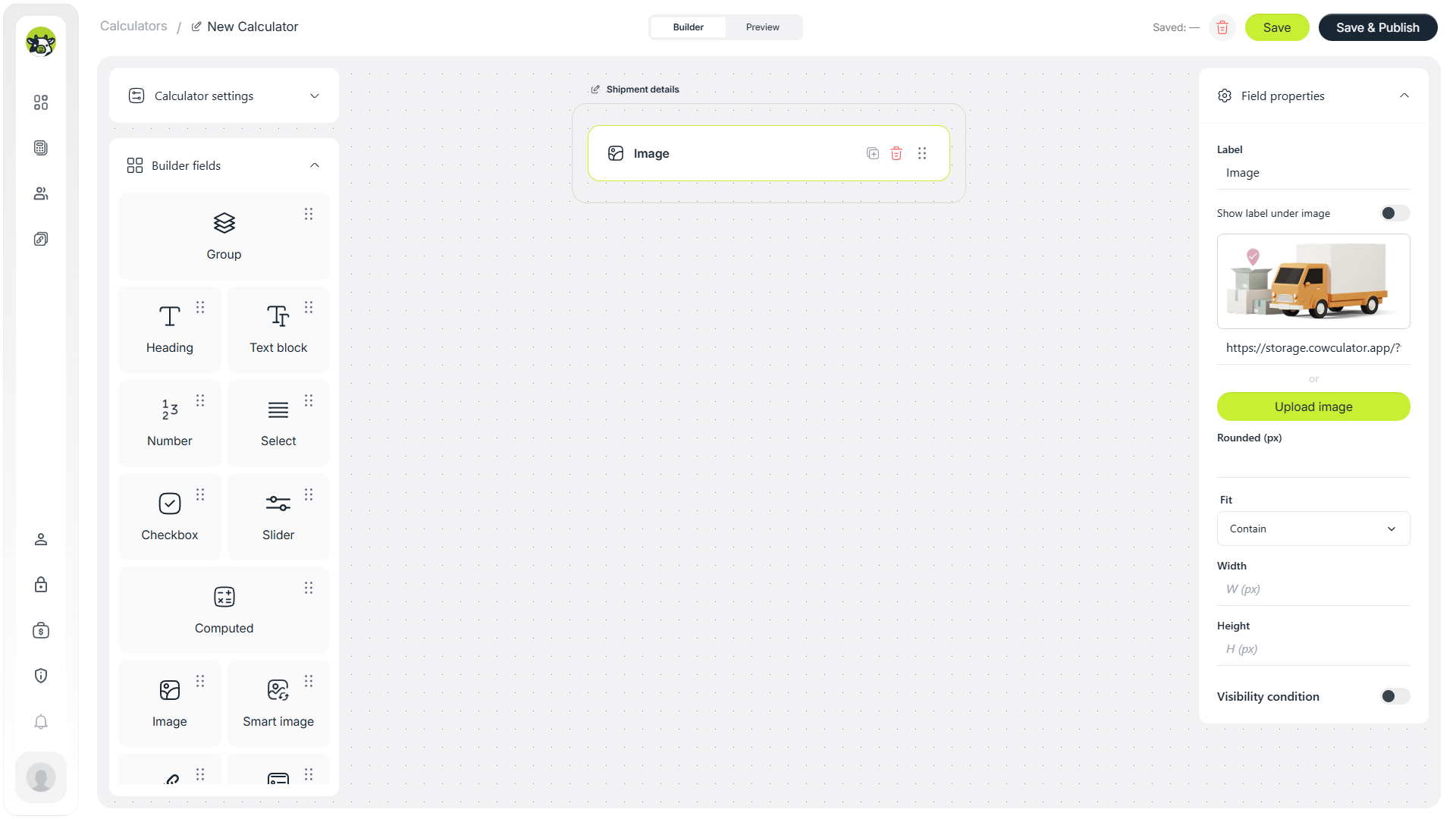
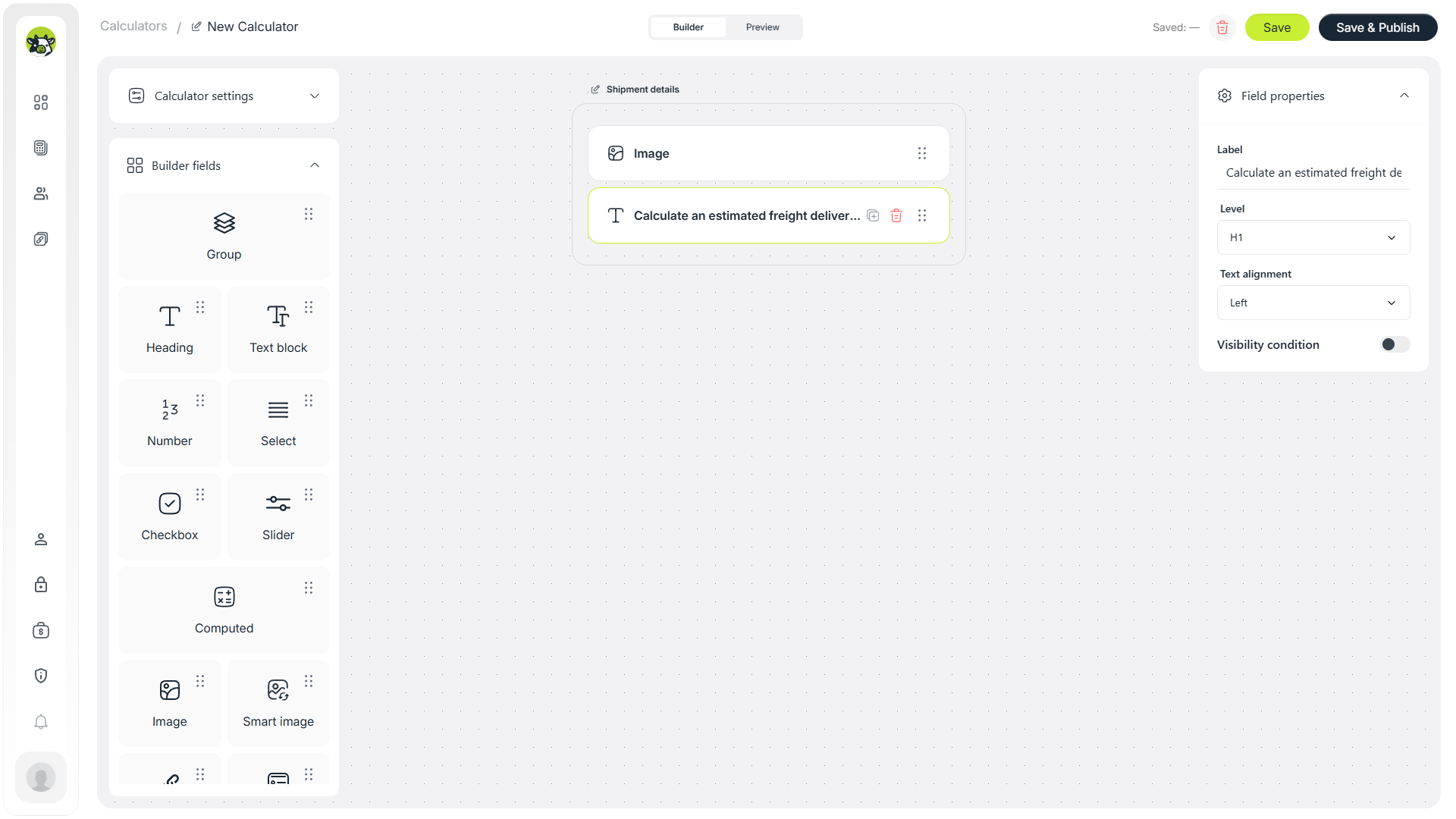
Start with the first screen: image, heading, and a short explanation. The heading should immediately explain what the user will get, for example: “Calculate an estimated freight delivery cost in 1 minute”.
This is important for expectation management. If the calculator gives a preliminary estimate, use wording like “estimated cost” instead of presenting the result as a guaranteed final quote.
Step 2. Add fields for route and cargo type
The first fields should quickly qualify the request. For freight delivery, these are usually cargo type, route type, distance, and service level. These parameters often have the strongest impact on the base estimate.
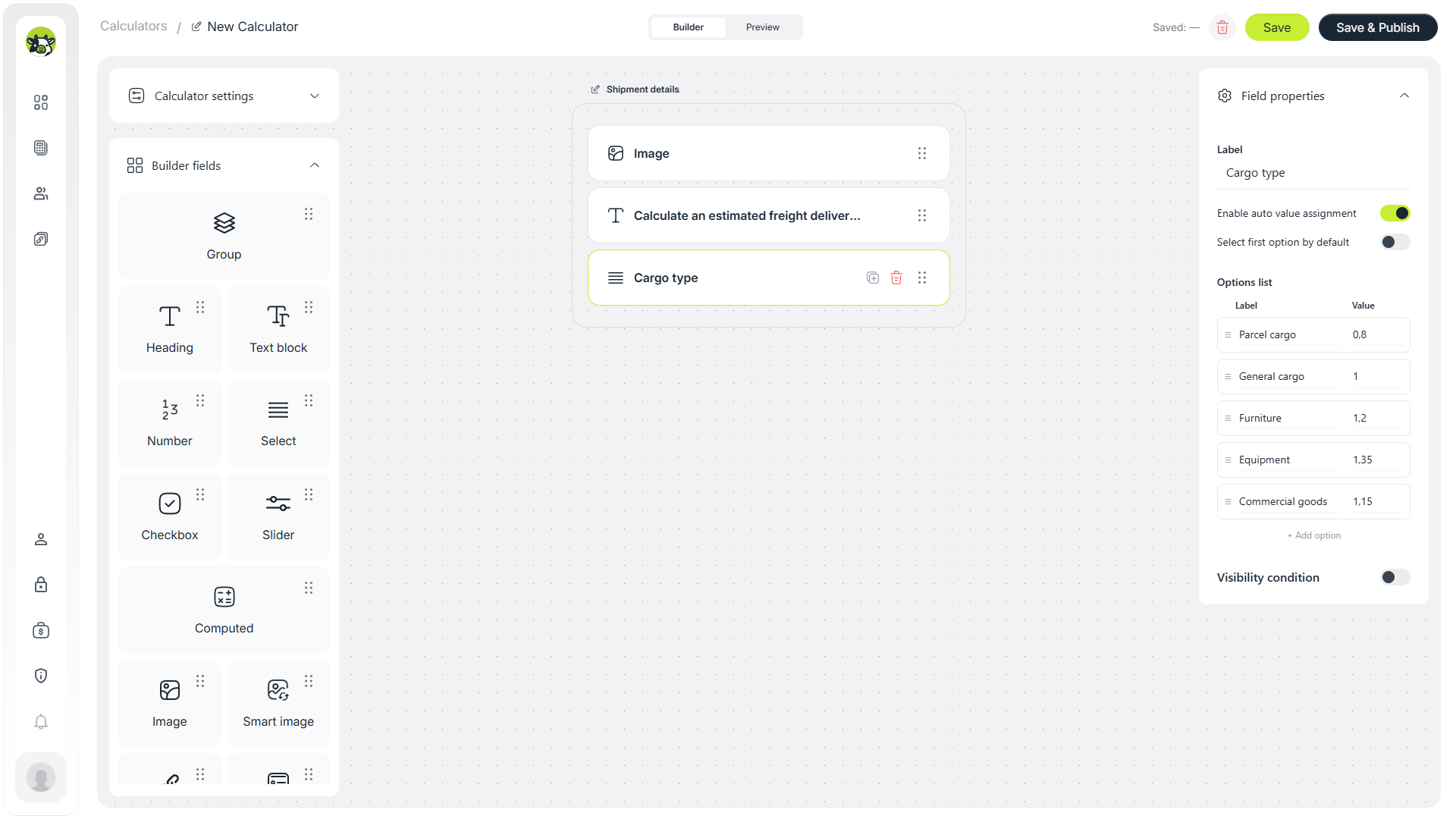
Cargo type
The “Cargo type” field helps separate documents, boxes, pallets, furniture, or equipment. In the formula, this field can work as a coefficient: documents may require less handling, while furniture or equipment may require more care and time.
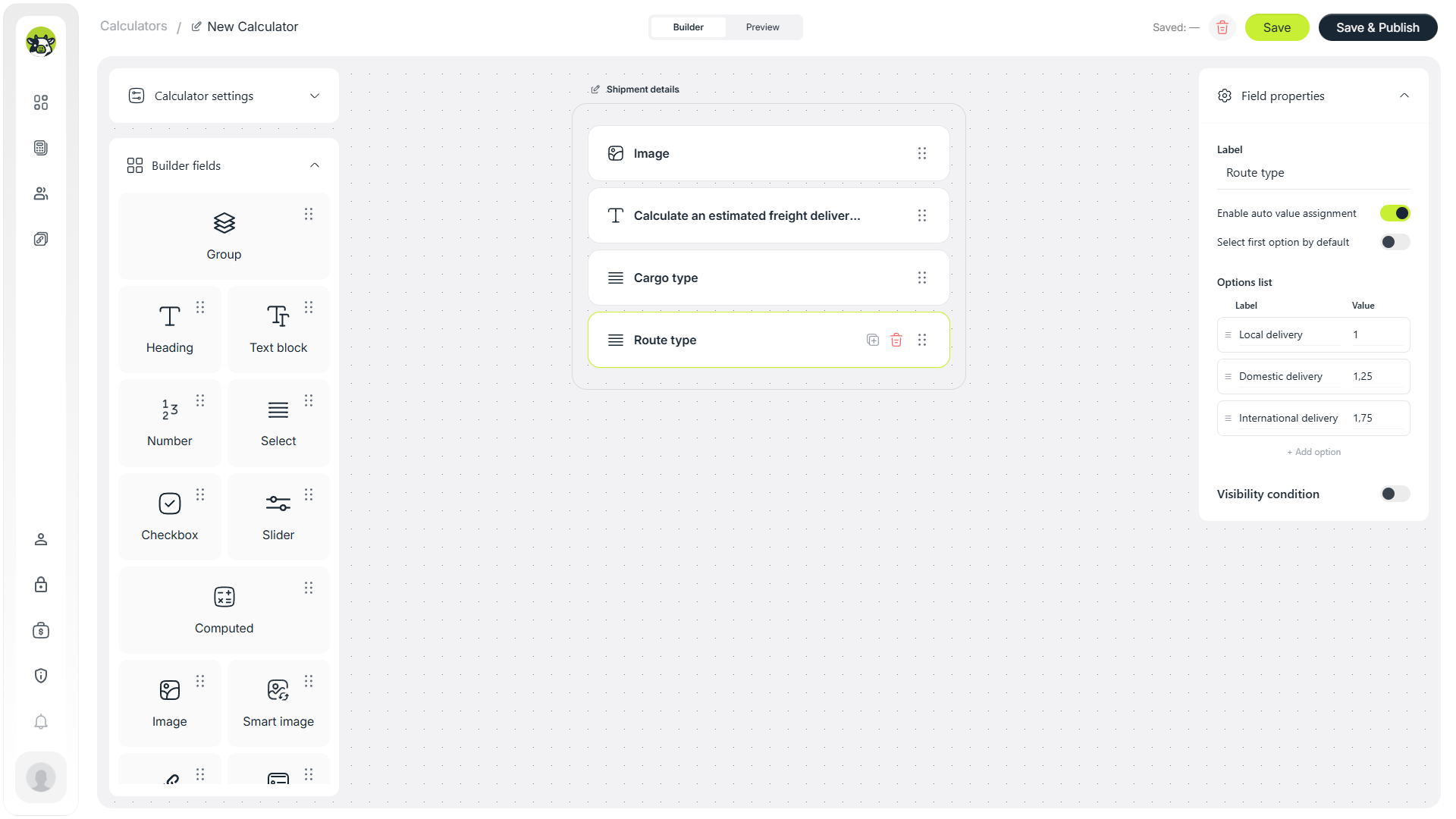
Route type
The route can be split into local, domestic, and international delivery. In a real logistics business, these scenarios often have different costs, risks, and operational complexity.
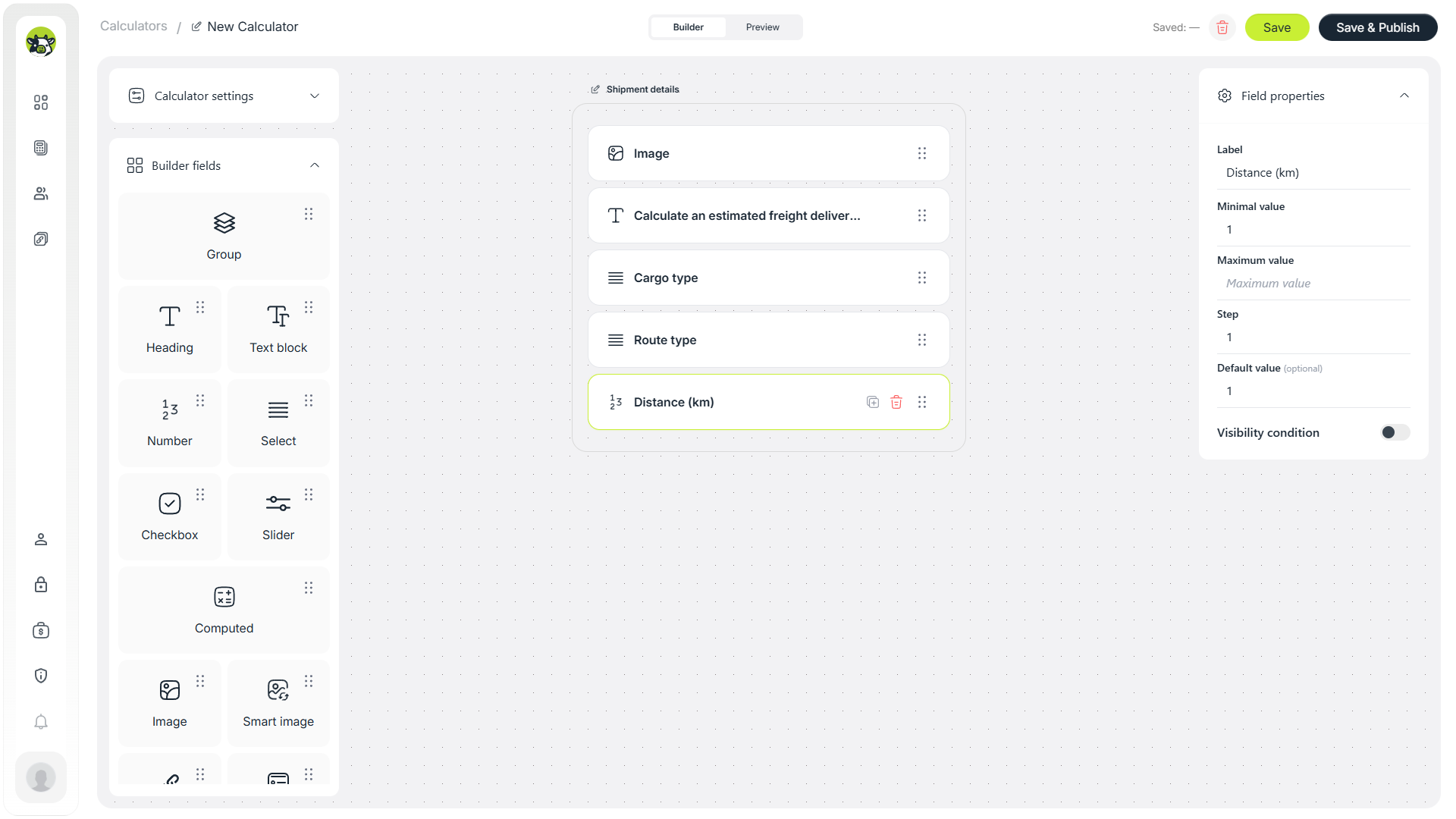
Distance
Distance is one of the core parameters. In a simple model, it can be multiplied by a price per kilometer and a route coefficient. For a real calculator, you can also add a minimum order value or separate logic for short routes.
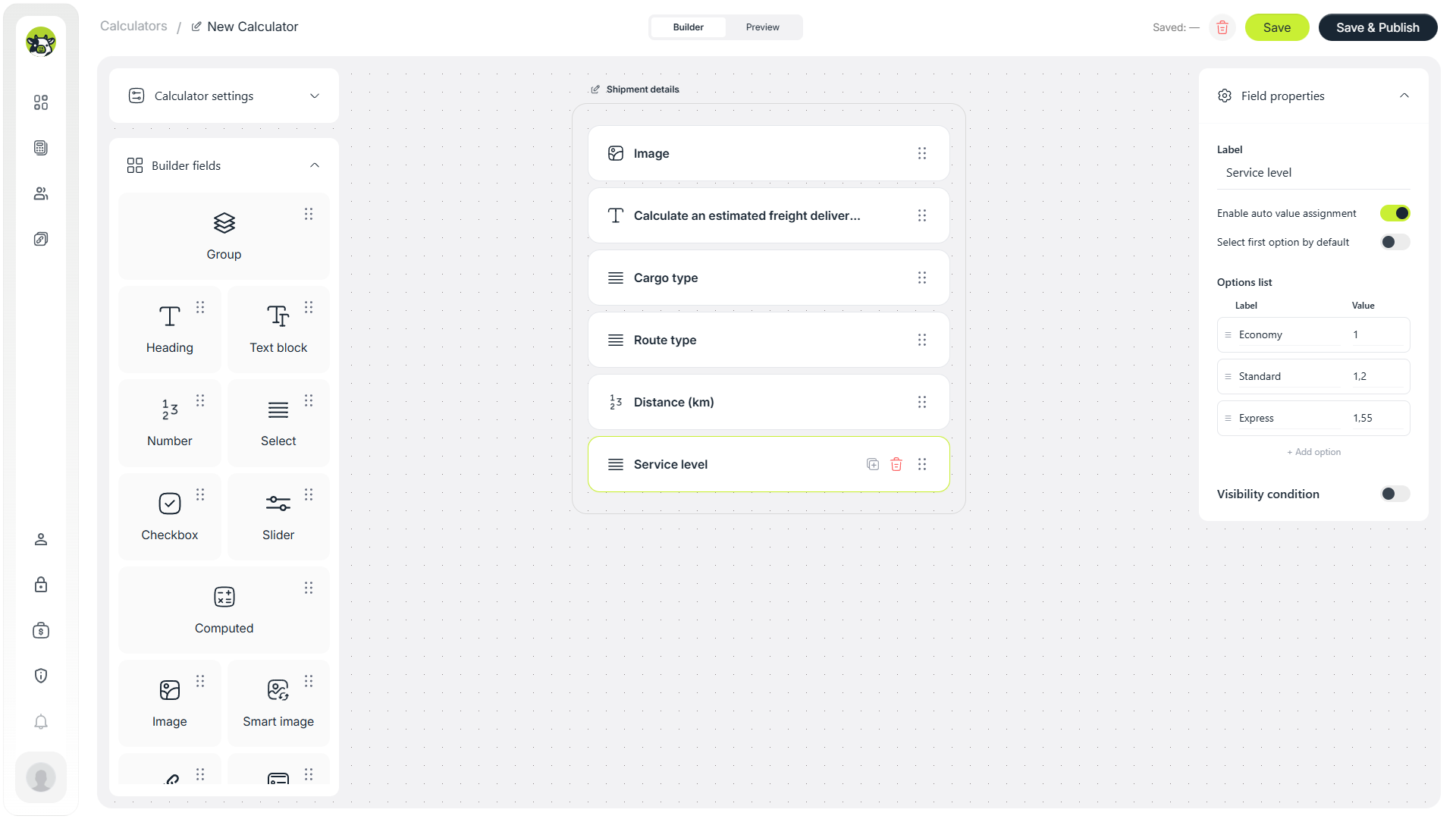
Service level
The service level field shows the difference between economy, standard, and express delivery. It is useful not only for price calculation, but also for estimating delivery time.
Step 3. Add vehicle and cargo parameters
After the route details, the user moves to cargo parameters. Do not make the first version too complex. For an MVP calculator, vehicle type, weight, volume, and a few practical add-ons are usually enough.
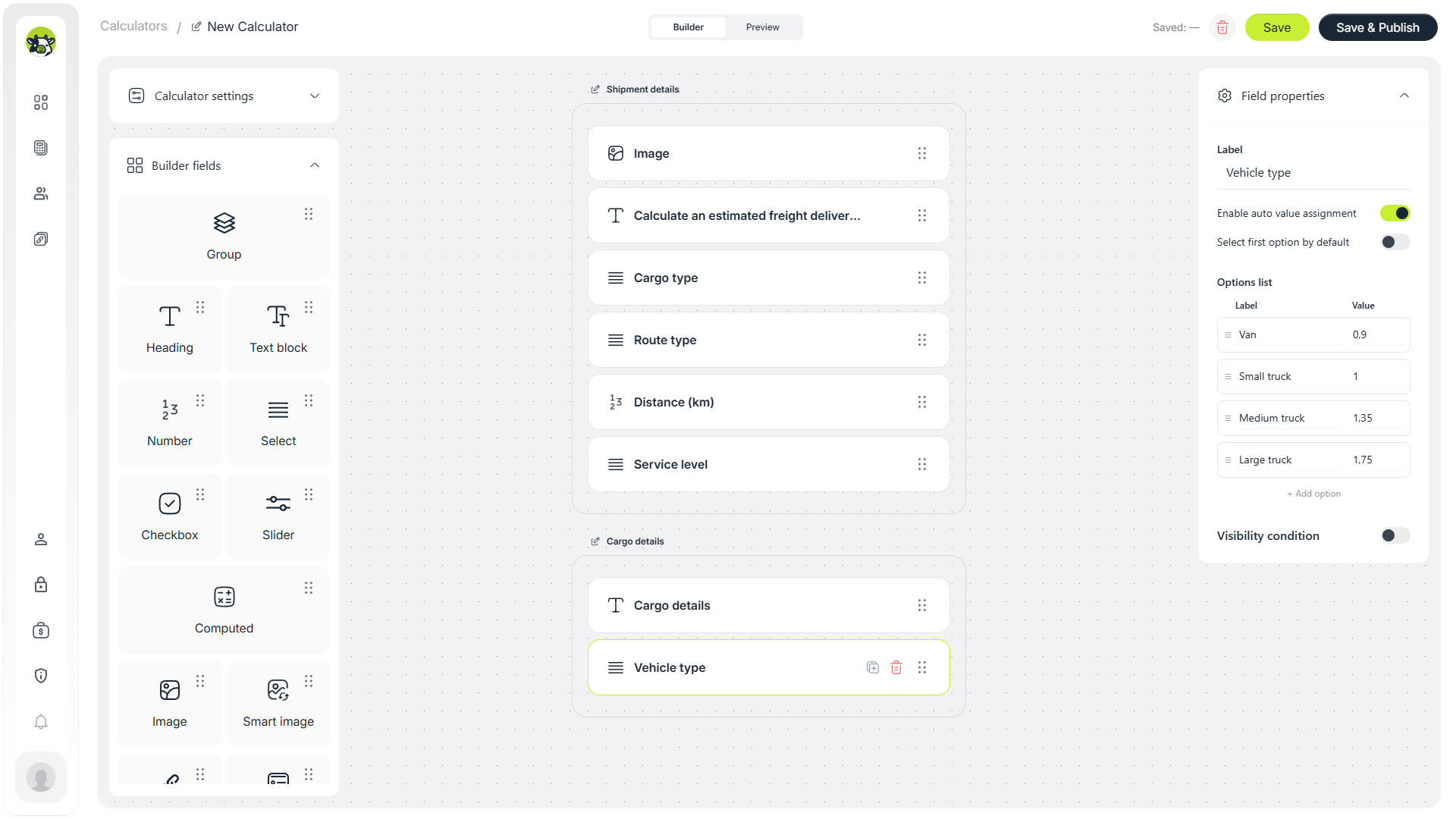
Vehicle type
Vehicle type can work as a coefficient or a fixed surcharge. For example, a small van, cargo van, and truck can have different operating costs, availability, and volume limitations.
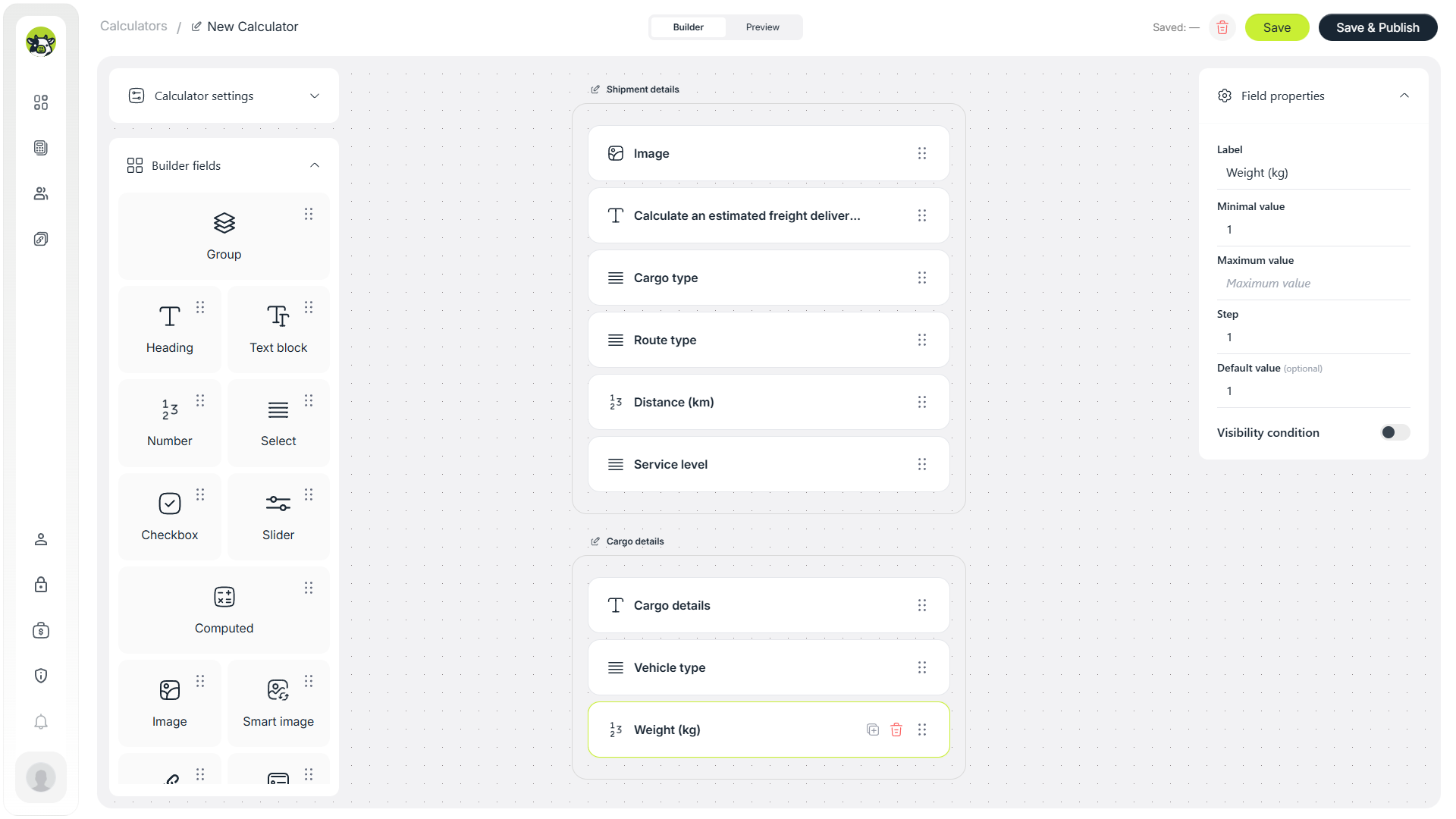
Cargo weight
Weight helps account for load, vehicle class, and manual work. In a basic model, it can be multiplied by a small rate per kilogram or used as part of a helper calculation.
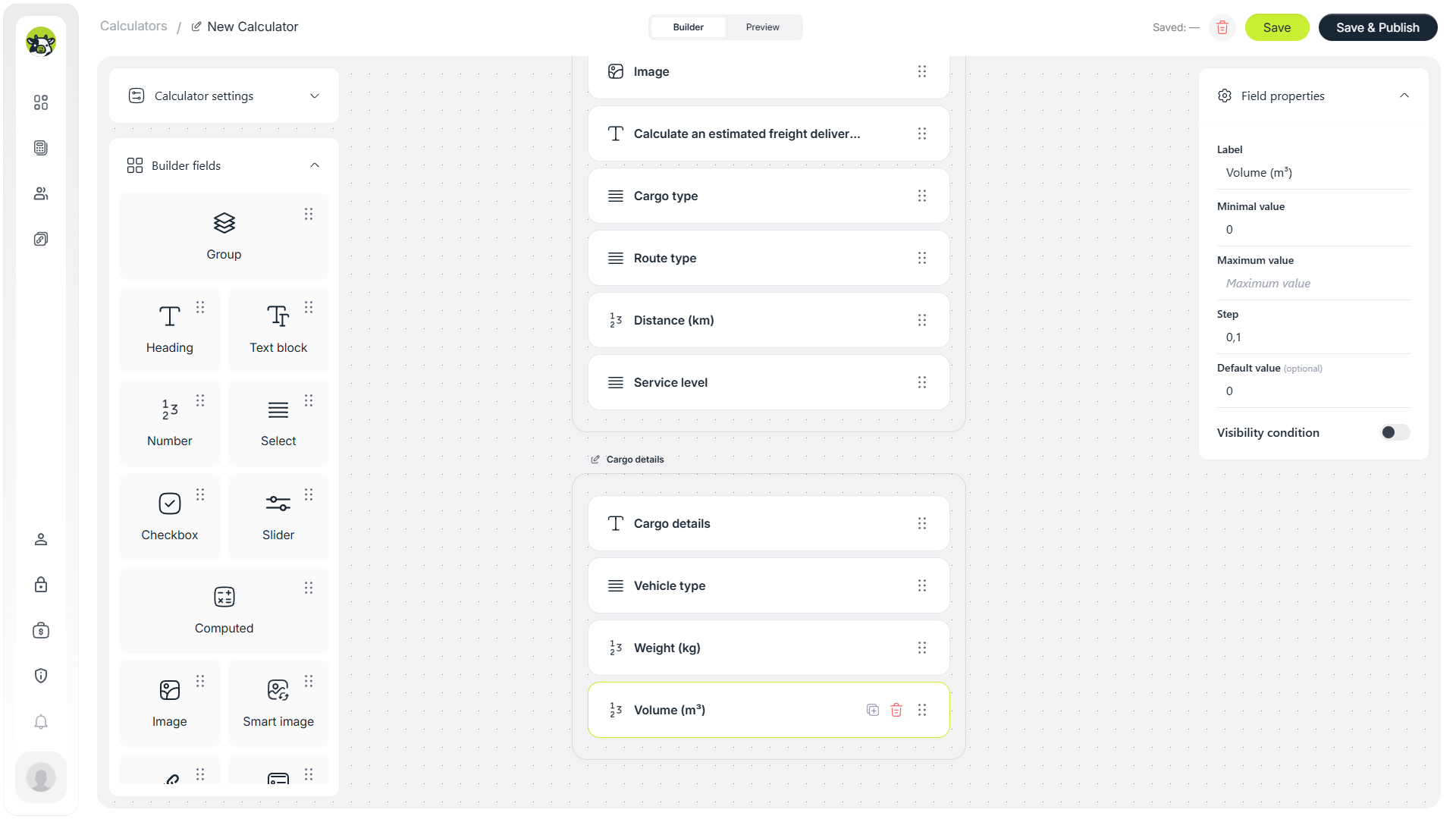
Cargo volume
Volume in cubic meters is important for furniture, boxes, equipment, and other shipments where the main limit is not weight, but available space in the vehicle.
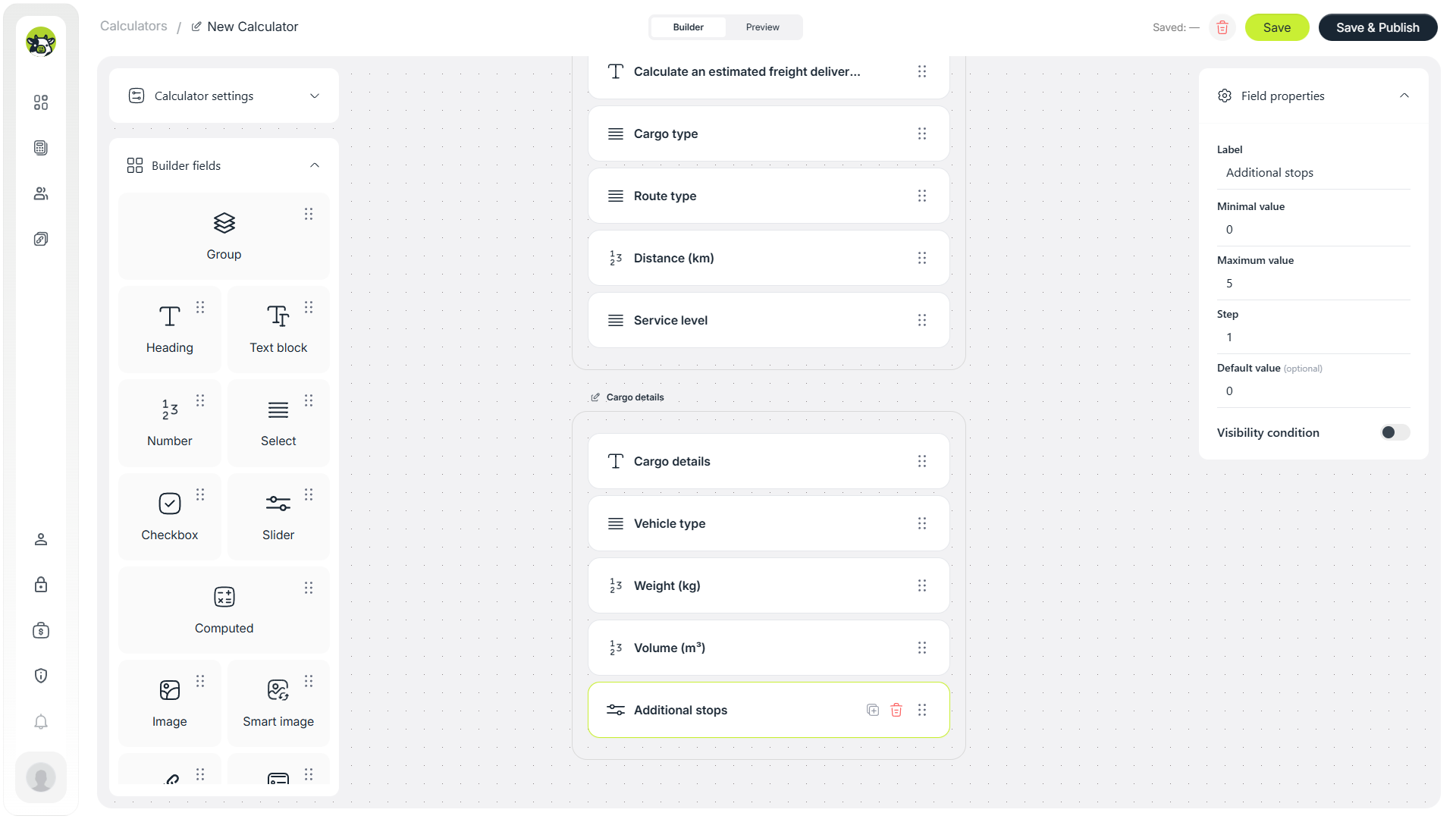
Additional stops
If the route includes several pickup or delivery points, it is better to calculate that separately. Even one additional stop can increase manager time, driver time, and total route duration.
Step 4. Add extra services
Extra services make the estimate more accurate and can also increase the average order value. For freight delivery, these can include loading assistance, insurance, return documents, packaging, or other options.
Loading and unloading assistance
Loading and unloading assistance can be a separate fixed fee. In a simple version, a checkbox is enough. In a more advanced version, you can calculate the number of movers and working hours.
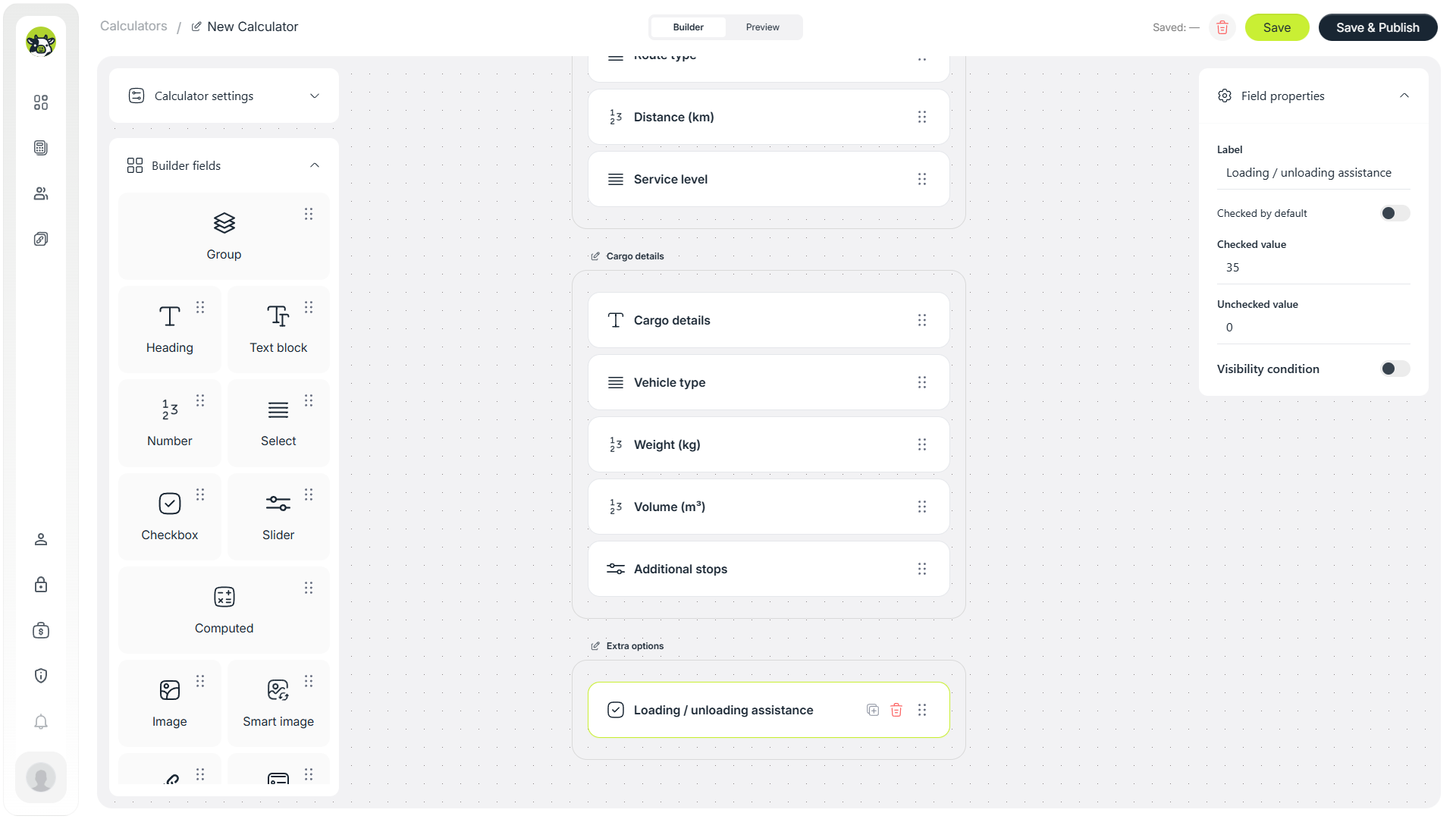
Insurance
Insurance works well as a select field: no insurance, basic insurance, or full insurance. In the formula, it can be a fixed amount or a percentage of the declared cargo value.
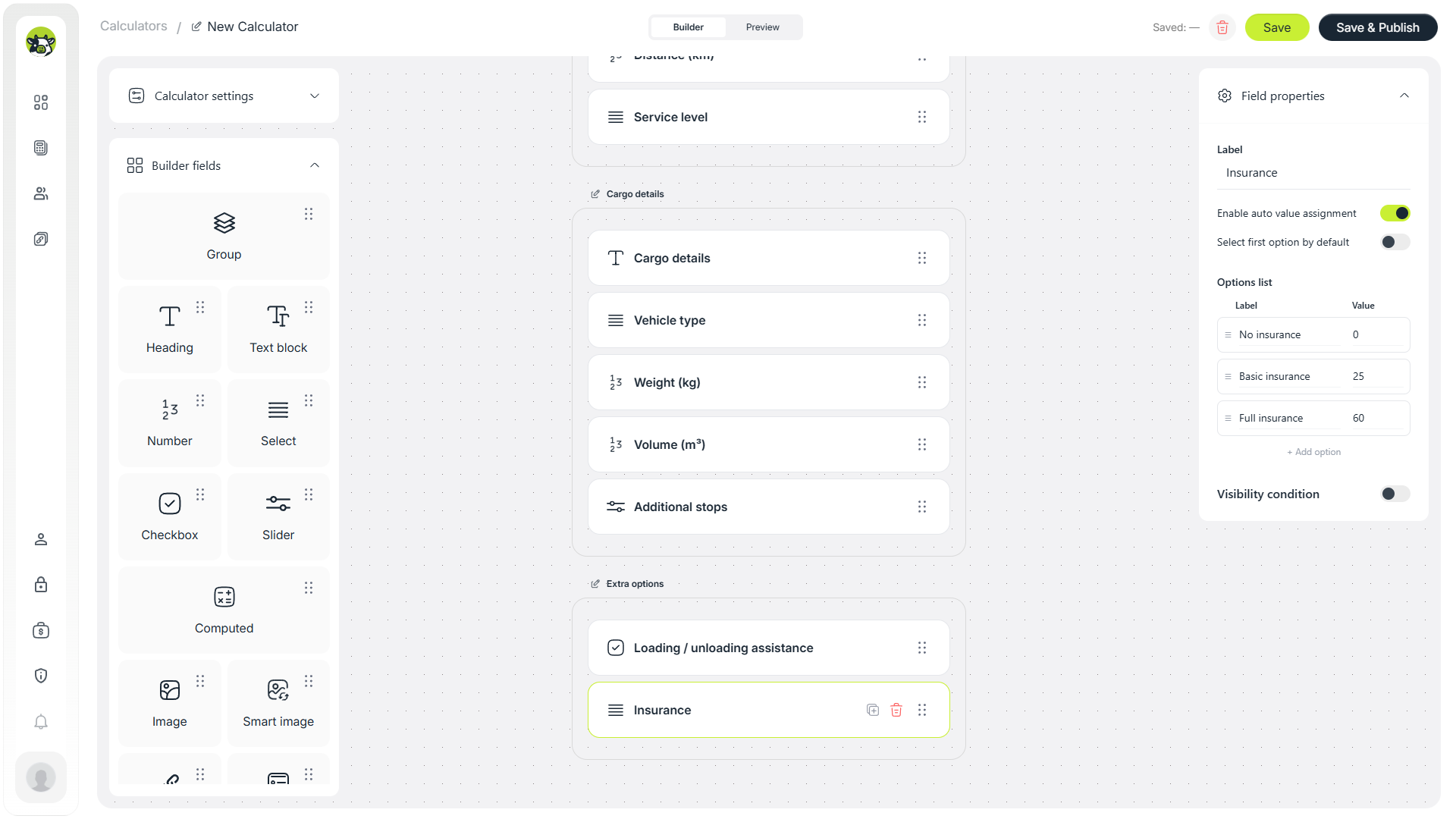
Return documents
Return documents is a small but clear extra service. For B2B delivery, this option can be useful when clients work with invoices, acts, signed documents, or delivery notes.
Step 5. Prepare helper calculations
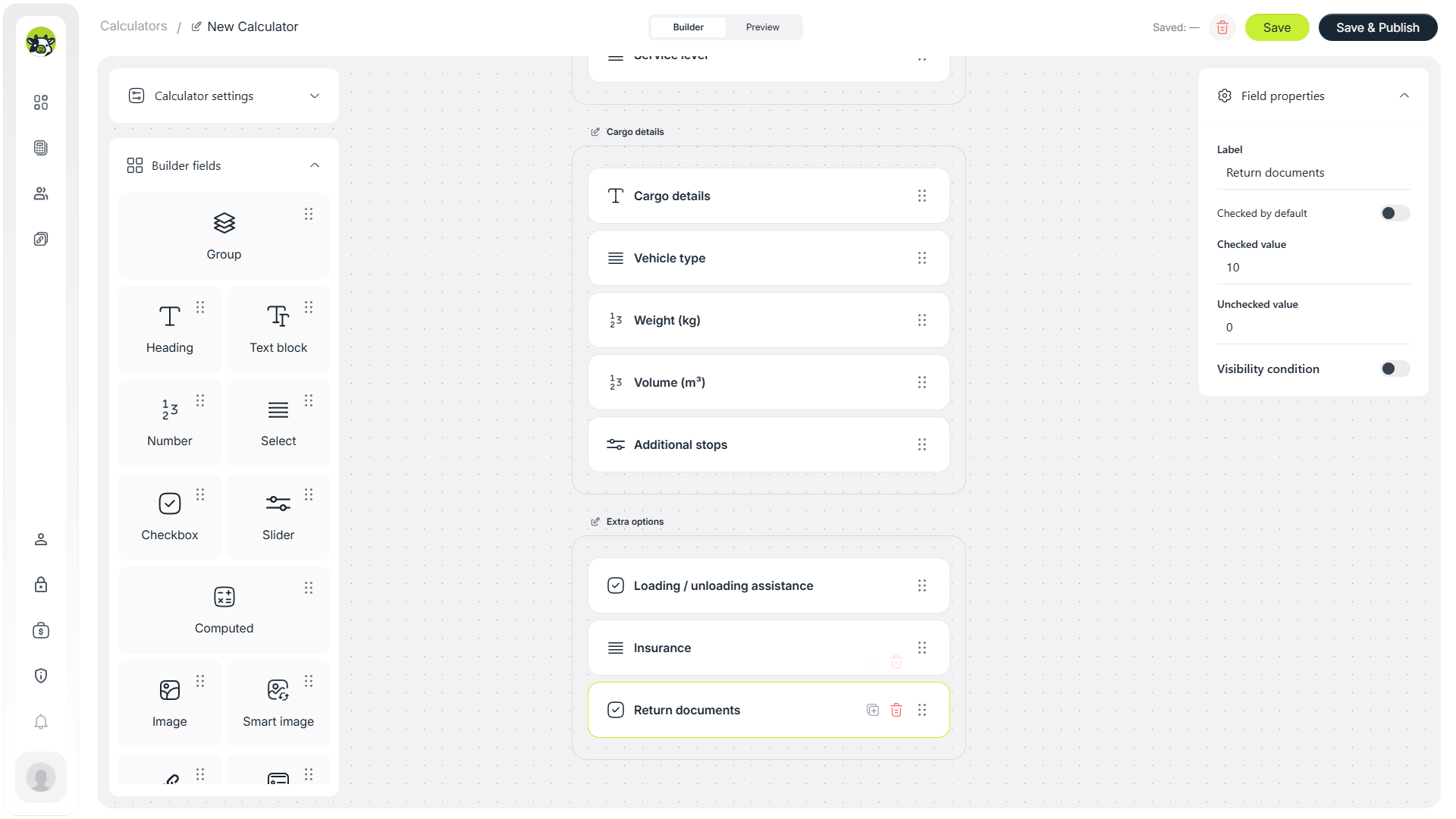
When a calculator has many fields, avoid putting everything into one huge formula. It is better to split the math into several technical fields: base delivery, cargo surcharge, and extra services. This makes the logic easier to test and edit.
Base delivery
The base calculation can include distance, route type, and a base price per kilometer.
Base delivery = distance × rate per km × route coefficient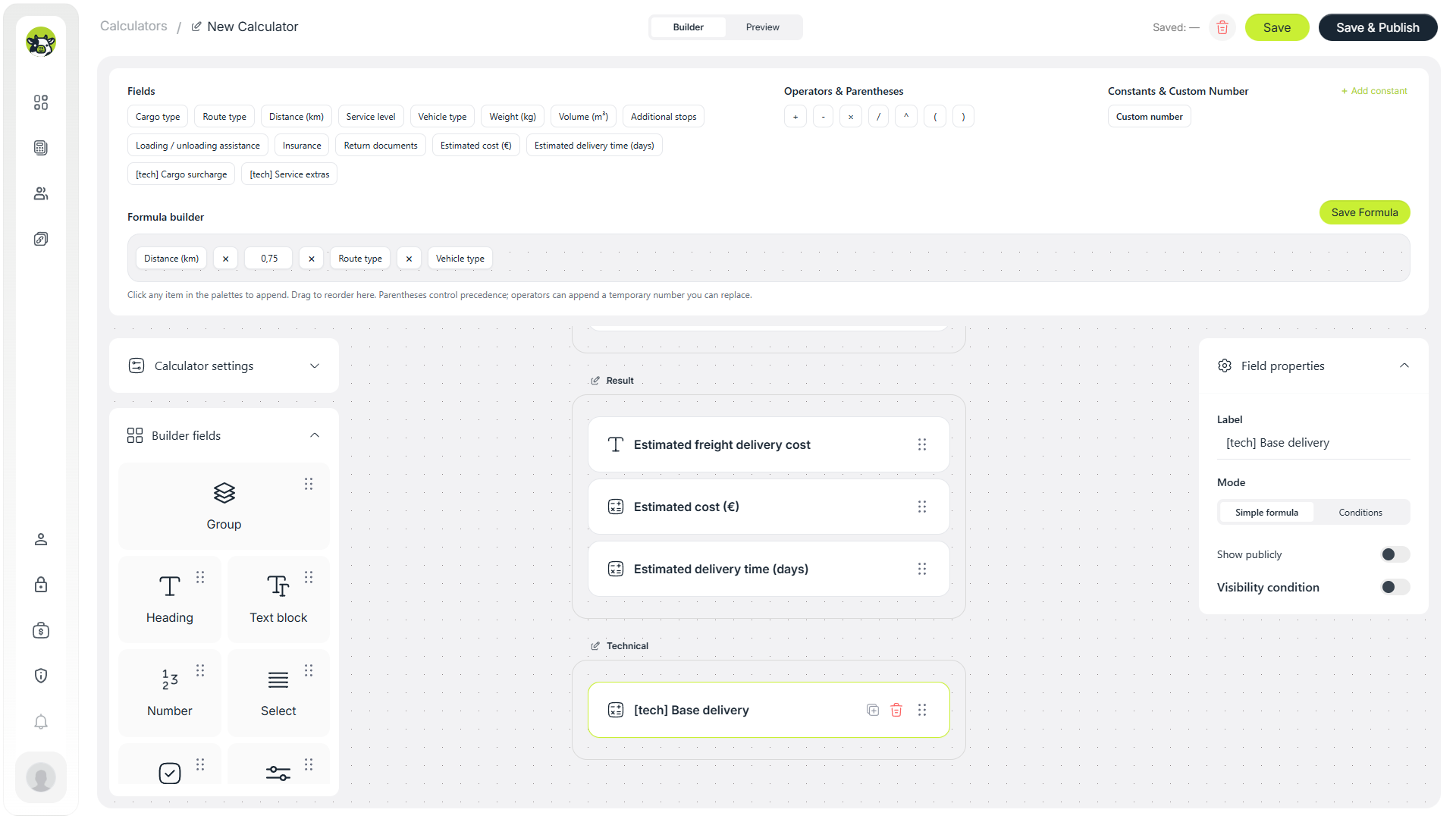
Cargo surcharge
A separate helper can calculate the impact of weight, volume, and additional stops. This is useful because these parameters describe the complexity of the shipment rather than the whole order.
Cargo surcharge = weight × rate + volume × rate + additional stops × rate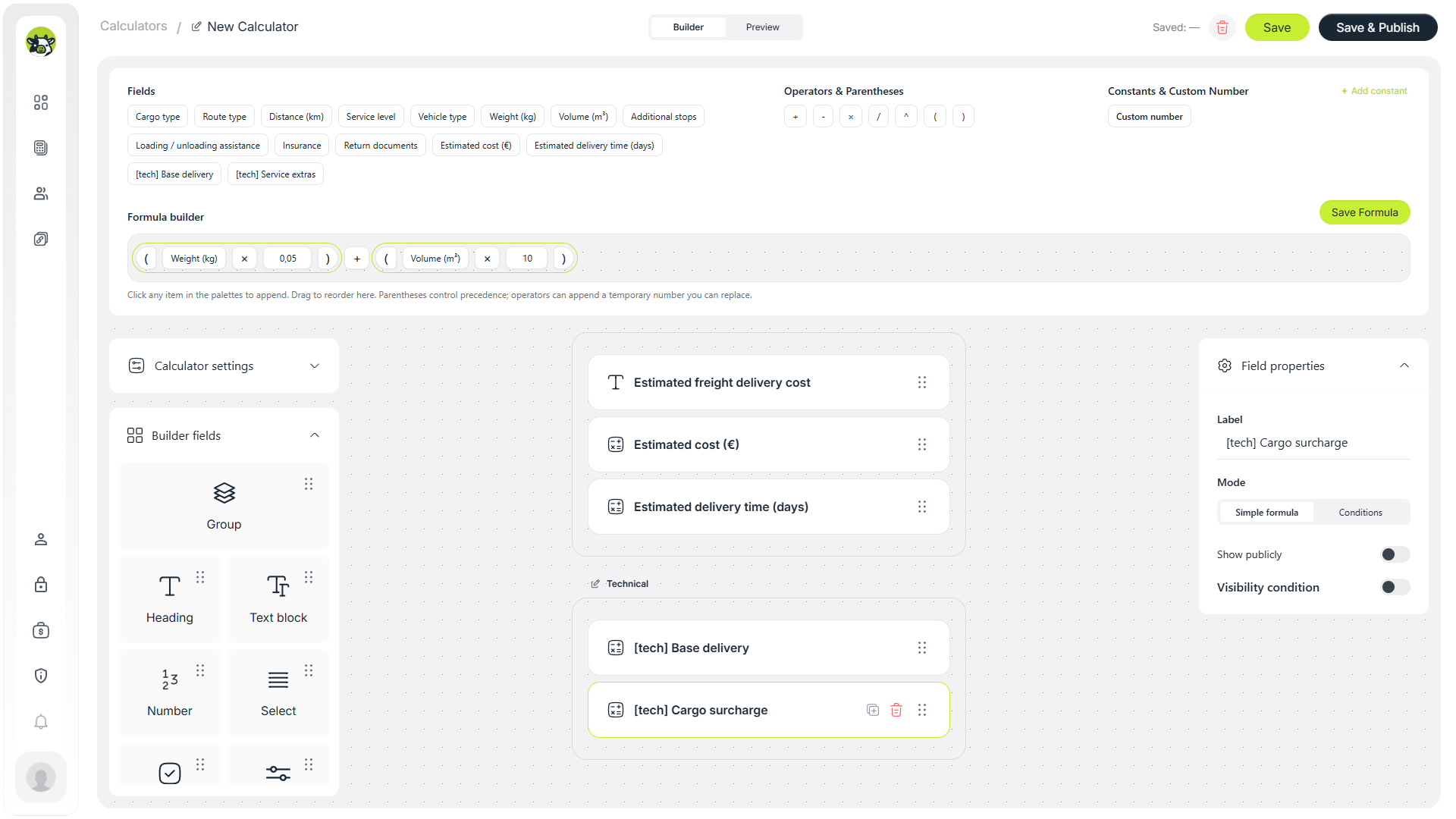
Extra services
A third helper can combine loading assistance, insurance, return documents, and other extra options.
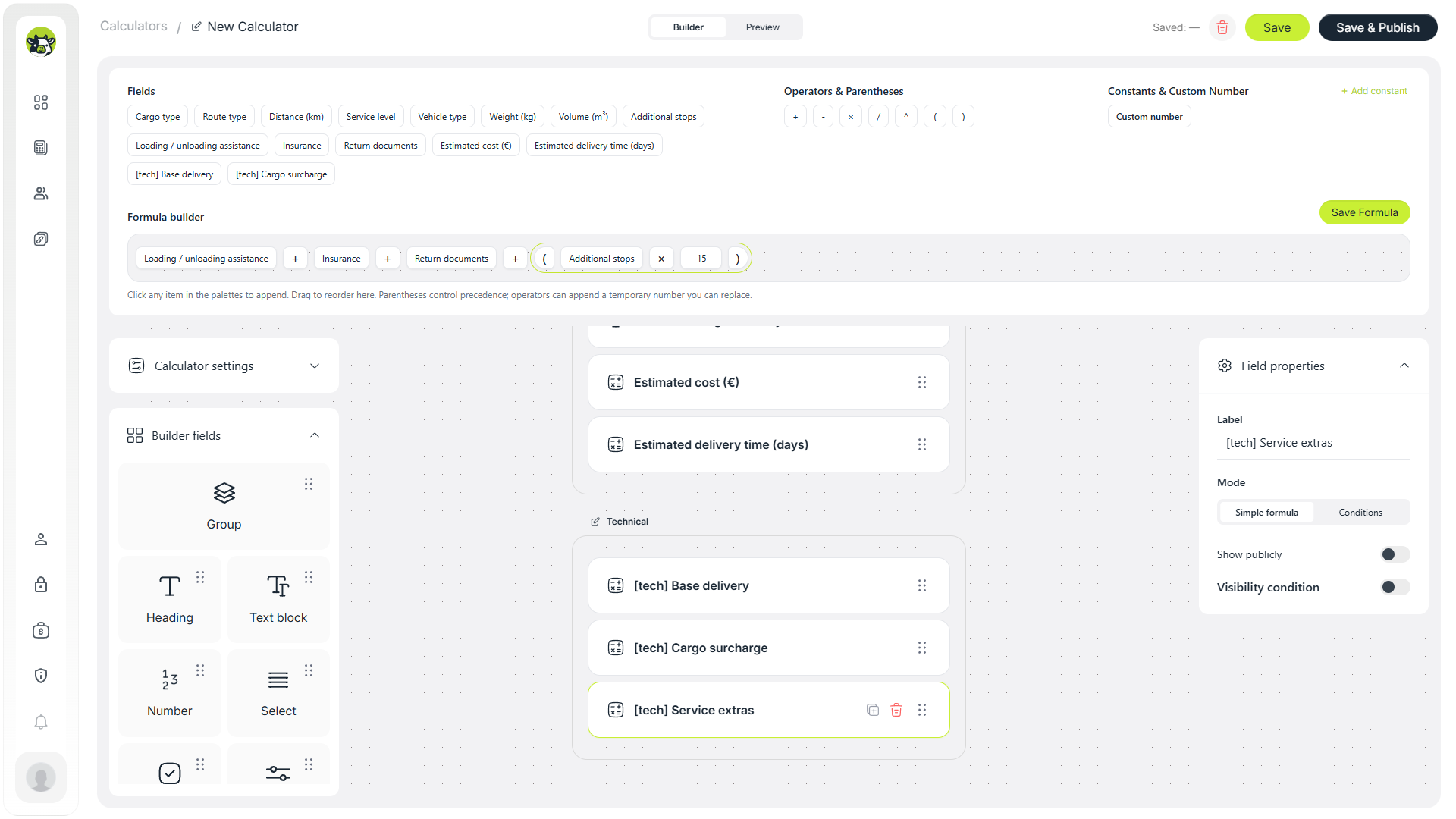
If all logic is placed in one field, every change becomes harder to verify. Helper fields let you test each part separately and then combine them into the final result.
Step 6. Build the final cost formula
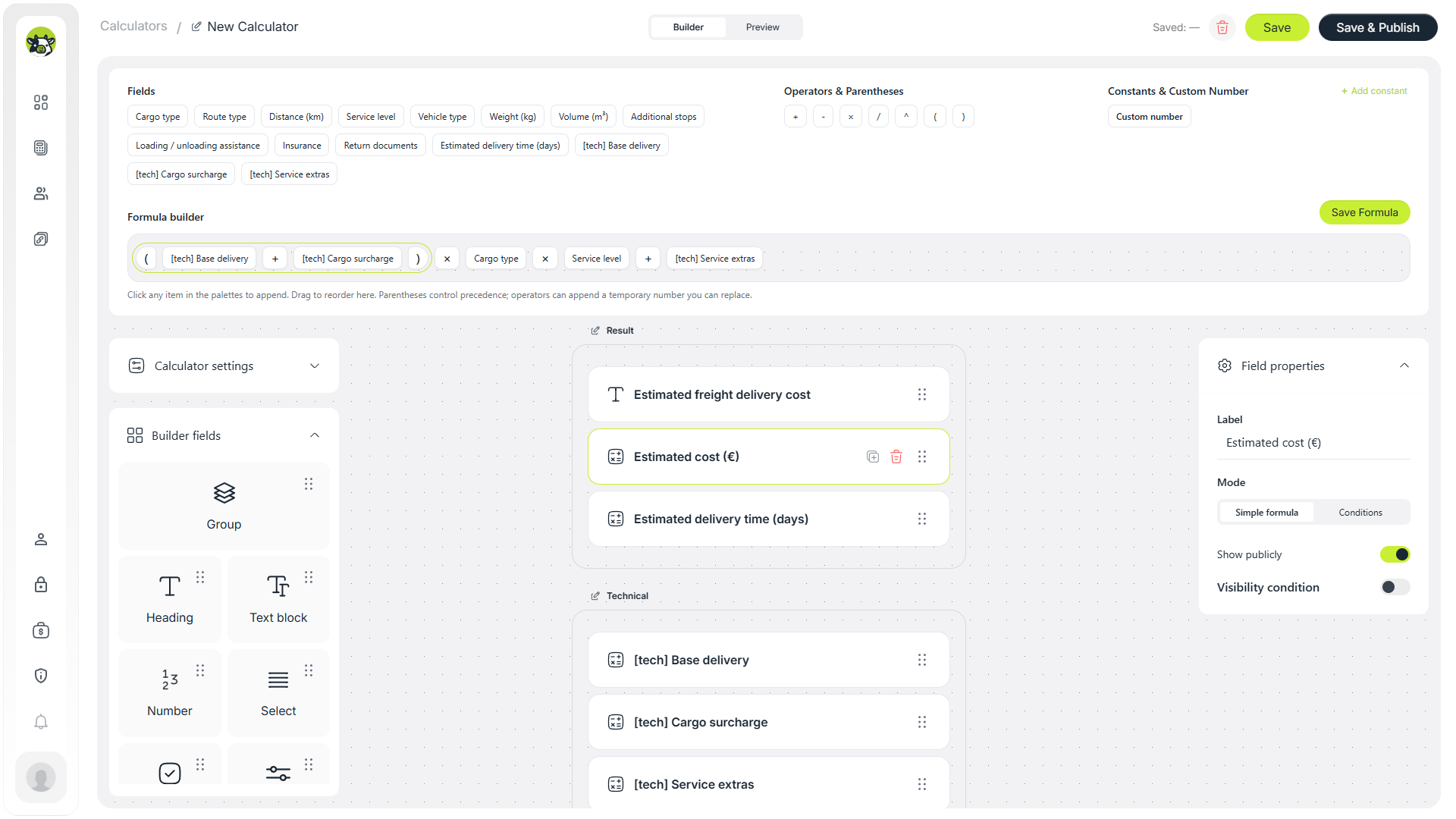
After the helper calculations are ready, create the final “Estimated cost” field. In simplified form, the logic can look like this:
Estimated cost =
(base delivery + cargo surcharge)
× cargo type
× service level
× vehicle type
+ extra services
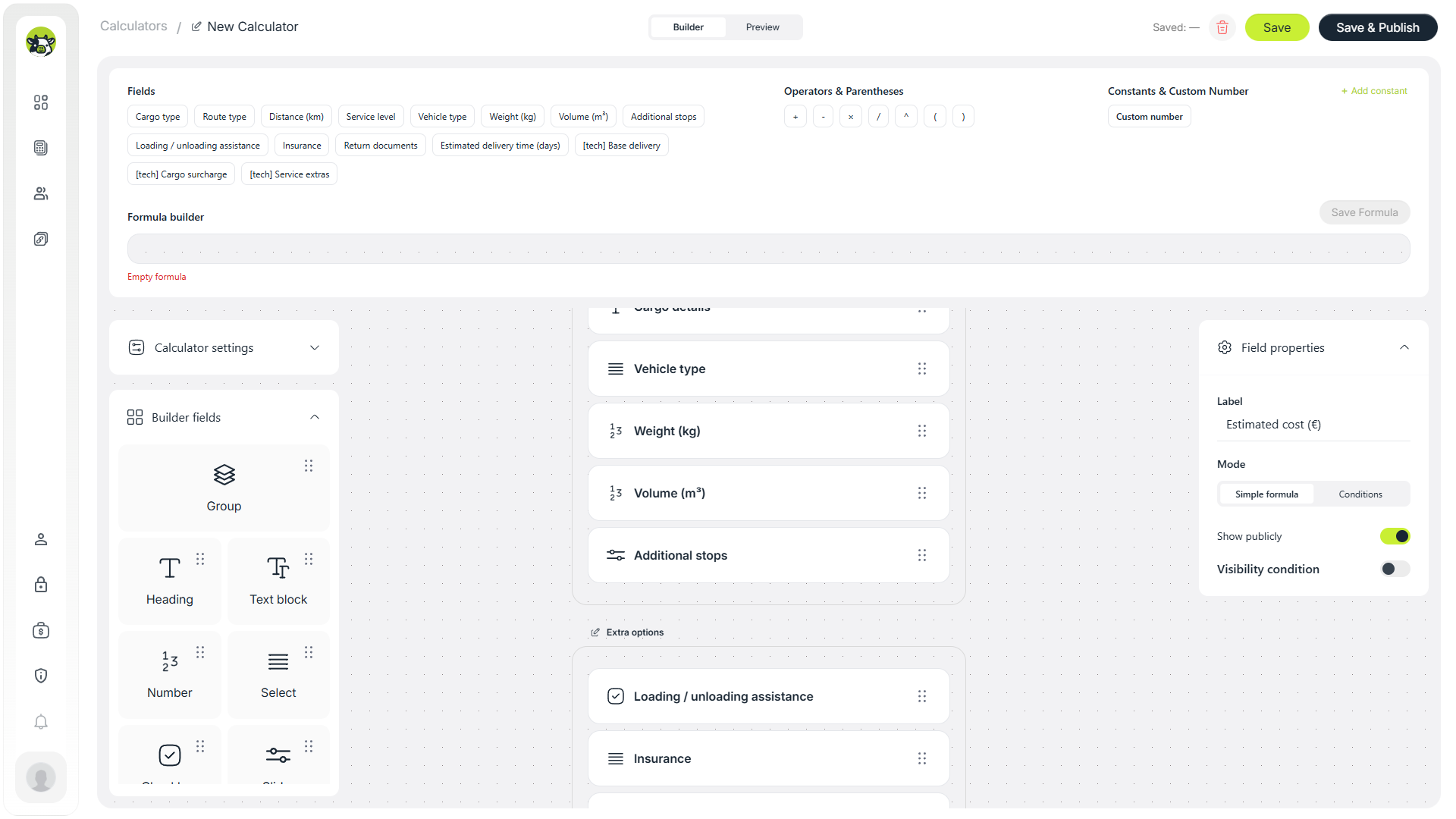
In Cowculator, the formula can be assembled from fields, operators, brackets, and constants. This reduces the risk of mistakes compared with manually typing one long expression.
Practical note: for logistics services, it is better to show the result as an “estimated cost”. The final price may depend on the exact address, access conditions, pickup time, waiting time, customs details, or other additional requirements.
Step 7. Add a conditional delivery-time estimate
Besides price, customers often want to understand the approximate delivery time. In this template, delivery time can be calculated with conditional logic: if Express is selected, show a shorter time; if Standard is selected, show a medium time; if Economy is selected, show a longer time.
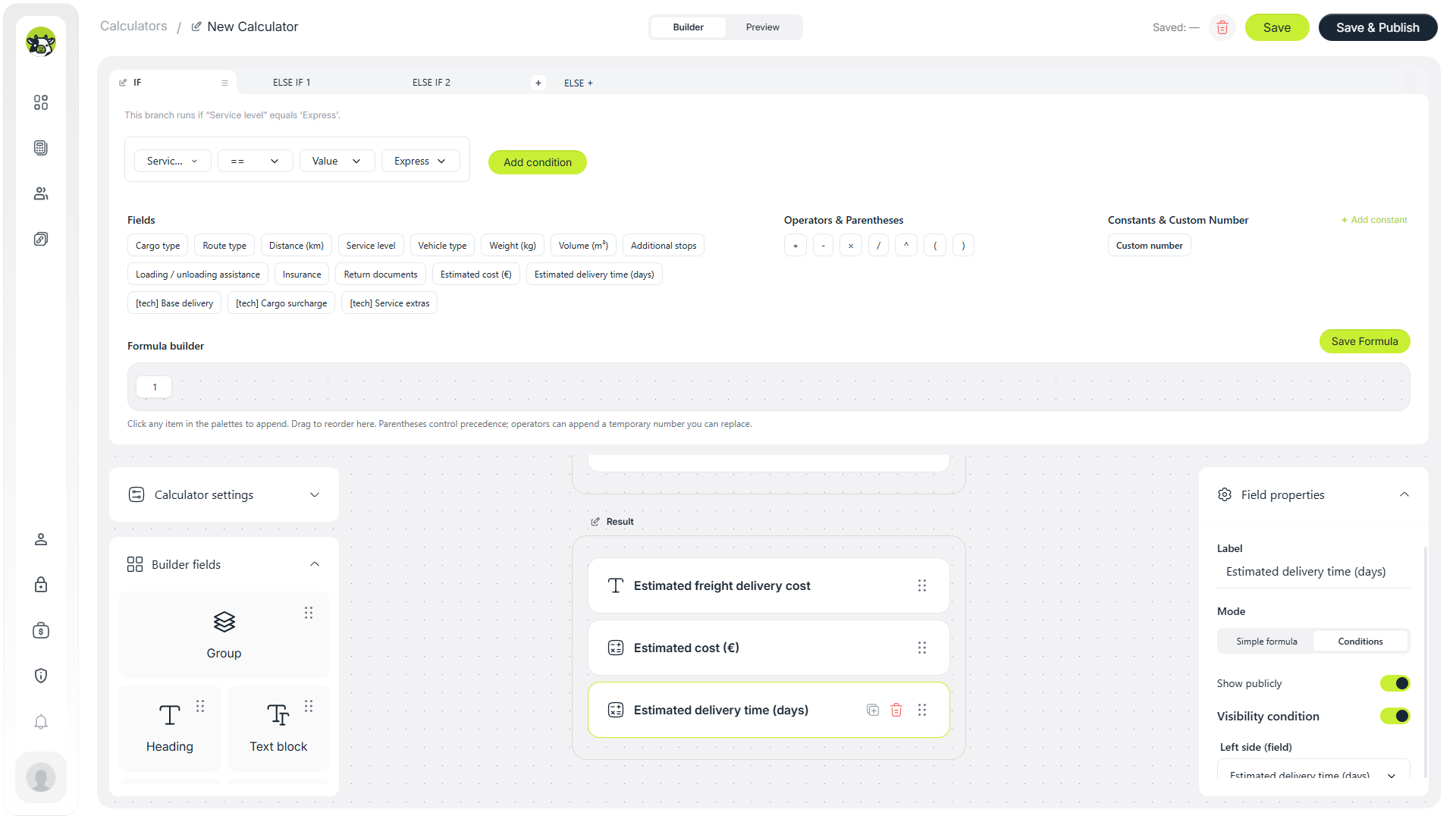
To avoid showing the result too early, add a visibility condition to the delivery-time field. For example, show the field only when its value is greater than zero.
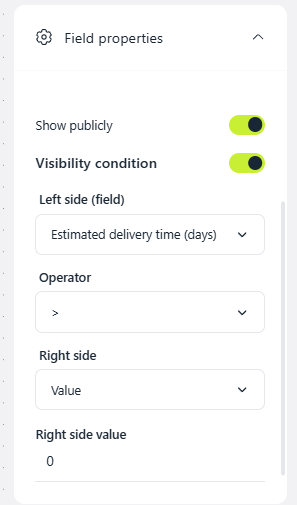
Conditions are especially useful for different tariffs, delivery scenarios, extra blocks, separate result formats, discounts, delivery times, and any situation where a field should appear only after a specific user answer.
Step 8. Add a contact form
After the estimate, the user needs a clear next step: leave a request, get an exact quote, or contact a manager. For logistics, the form should not be too long because the main shipment parameters have already been collected in the calculator.
A good basic form asks for name, phone number, and a short cargo comment. The manager receives not just an empty contact, but a request with context.
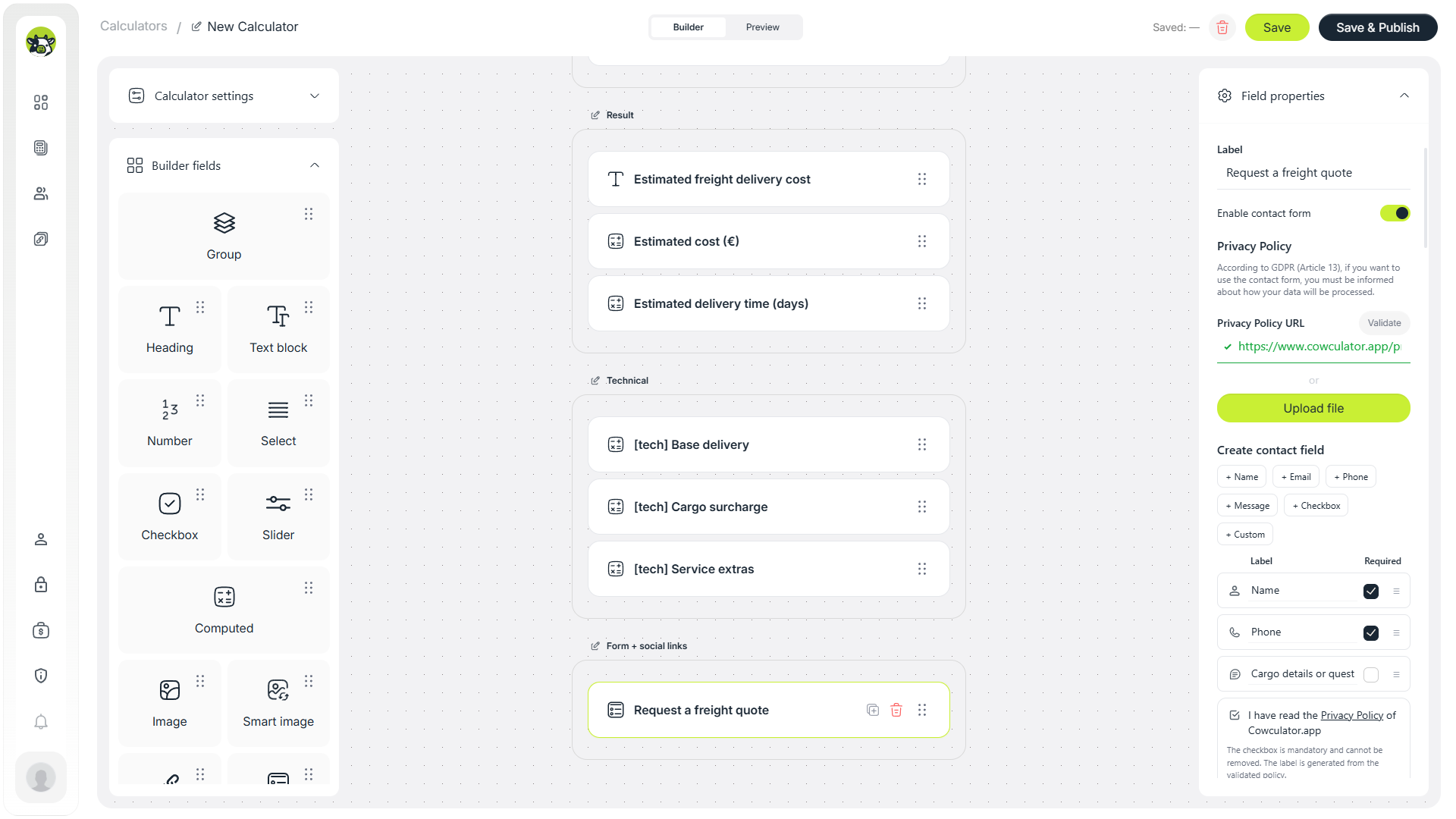
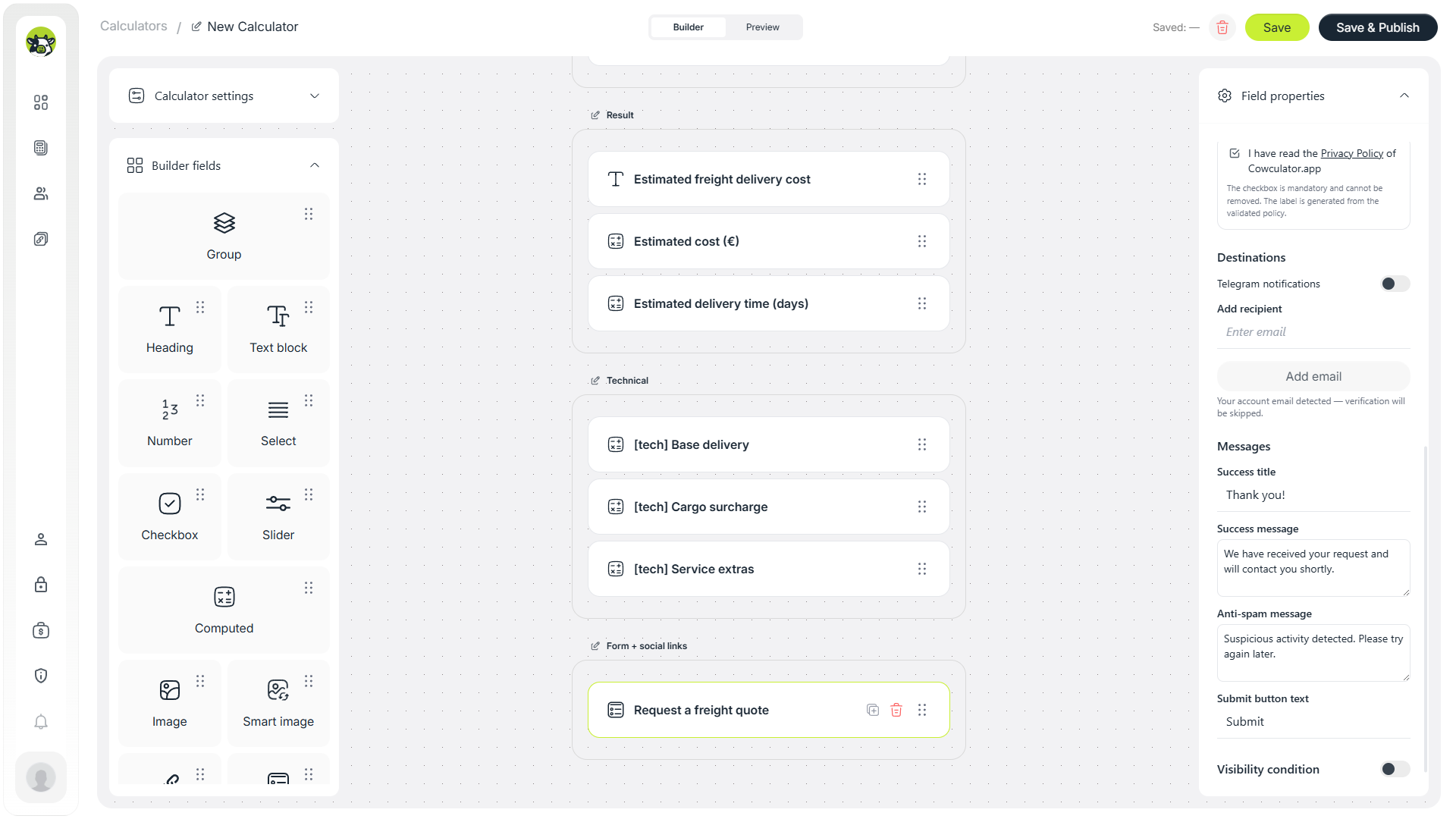
To collect contacts, add a privacy policy link. This is important because the form processes personal data from the user.
Where to use a freight delivery calculator
A freight calculator is useful not only on a website. It can work as a separate sales tool for ads, conversations, and preliminary request qualification.
Logistics company website
Add the calculator to a service page so customers can estimate the budget before calling a manager.
Instagram and Telegram
A short link can be sent in direct messages, so managers do not have to calculate every request manually.
Google Ads
The calculator can work as a lead magnet: the visitor receives useful value first and then leaves contact details.
SEO landing page
A dedicated “freight delivery cost calculator” page can collect search traffic from users who are already comparing prices.
Can this calculator help with SEO?
Yes, but the calculator itself should not replace the page content. For SEO, it is better to create a page with a short explanation, the calculator, a description of the pricing factors, a FAQ block, and a clear call to action.
For example, the page can target searches such as “freight cost calculator”, “freight delivery calculator”, “shipping cost calculator”, “cargo delivery cost estimate”, or “logistics quote calculator”.
- Short introduction: what can be calculated.
- The calculator near the top of the page.
- Explanation of the parameters that affect price.
- Description of delivery types and extra services.
- FAQ about price, timing, insurance, loading assistance, and estimate accuracy.
- CTA for getting an exact freight quote.
Recommendations for better conversion
A calculator does not automatically guarantee leads. The user should quickly understand the value, complete the estimate without unnecessary friction, and see a logical next step.
- Do not add too many fields in the first version. Start with route, distance, cargo type, weight/volume, and several important options.
- Explain that the price is estimated. In logistics, the final quote often depends on details that are hard to capture fully online.
- Show the result before the form. Users are more likely to leave contact details after receiving value.
- Send calculation parameters with the lead. This reduces first-response time and makes the request more useful for the manager.
- Check the mobile version. Many users will open the calculator from ads, messengers, or social media.
- Do not promise a fixed final price when clarification is required. Use wording like “estimated cost” or “preliminary estimate”.
Common mistakes when creating a freight calculator
- The first screen is too complex. If the start looks like a long questionnaire, many users will not reach the result.
- One huge formula without helper fields. This logic is hard to test and update.
- No explanation of the result. The user should understand that the price is a preliminary estimate.
- The contact form appears before the result. This can reduce trust because the user has not yet received value.
- The manager receives only a phone number. It is better to send cargo type, route, distance, weight, volume, and the estimate together with the lead.
- The mobile scenario is ignored. This is critical for logistics because many requests come from phones.
Test this freight delivery calculator yourself
You can open the ready-made Freight template in Cowculator, go through the flow as a user, check the fields, formulas, and result, and use it as a starting point for your own delivery calculator.
If the idea fits your business but you do not want to configure everything yourself, you can also request a free calculator setup from the Cowculator team.
FAQ
Can I create a freight calculator without a developer?
Yes. In Cowculator, you can build a calculator through a visual builder: add fields, configure formulas, use conditions, add a contact form, and publish the calculator without writing code.
What fields should a freight delivery calculator include?
A basic version can include cargo type, route type, distance, service level, vehicle type, weight, volume, additional stops, loading assistance, insurance, and a contact form.
Can I show delivery time as well as price?
Yes. You can add a separate computed field with conditions. For example, show a shorter time for Express, a medium time for Standard, and a longer time for Economy.
Can I use the calculator as a separate page?
Yes. After publishing, the calculator can be opened through a direct link, sent in a messenger, added to Instagram, used in ads, or embedded on a website.
Will the estimate be the exact final price?
Usually not. For logistics services, it is better to show an estimated cost and confirm the final quote after checking addresses, access conditions, timing, cargo type, and other details.
Step 9. Add social links and customize the design
If the calculator opens as a separate page, social links help the user quickly go to the website, send an email, make a call, or open Instagram.
After testing the logic, customize the visual style: logo, colors, theme, and accent button. It is better to do this after the formulas, so you first make sure the calculator works correctly.