

How to Create a Cleaning Service Cost Calculator for a Cleaning Company
In this guide, we will build an online calculator for a cleaning company in Cowculator: with cleaning type, area, rooms, extra services, helper calculations, conditional results, a contact form, Telegram notifications, visual customization, and a short link.
A calculator like this can be used on a website, in ads, in Instagram or Telegram conversations, or as a separate page for quick preliminary estimates.
Quick answer: what we are going to build
The goal is not just to create a form with questions. The goal is to create a practical sales tool: the customer gets an approximate cleaning price, and the cleaning company receives a more qualified request with the main job parameters already collected.
- Create the main cleaning service calculator.
- Add the fields that affect the price.
- Use helper calculations for extra services and base pricing.
- Build the final formula for the estimated cleaning cost.
- Add visibility conditions for one-time and recurring cleaning.
- Add a contact form, privacy policy, and Telegram notifications.
- Customize the appearance, publish the calculator, and create a short link.
The numbers in this article are examples for demonstrating the logic. For a real cleaning company, replace them with your own price per square meter, fixed service fees, complexity coefficients, and recurring-order rules.
What the calculator structure looks like
In this example, the calculator is built from several logical blocks. The customer first answers what needs to be cleaned, then provides the property details, selects additional services, chooses cleaning frequency, and finally can leave contact details after seeing the estimated result.
Main parameters
Cleaning type, area, number of rooms, bathrooms, balconies, dirt level, and other basic details.
Extra services
Window cleaning, fridge cleaning, sofa cleaning, chair cleaning, kitchen cleaning, and similar add-ons.
Lead capture
Contact form, privacy policy, Telegram notifications, social links, and a short link for sharing.
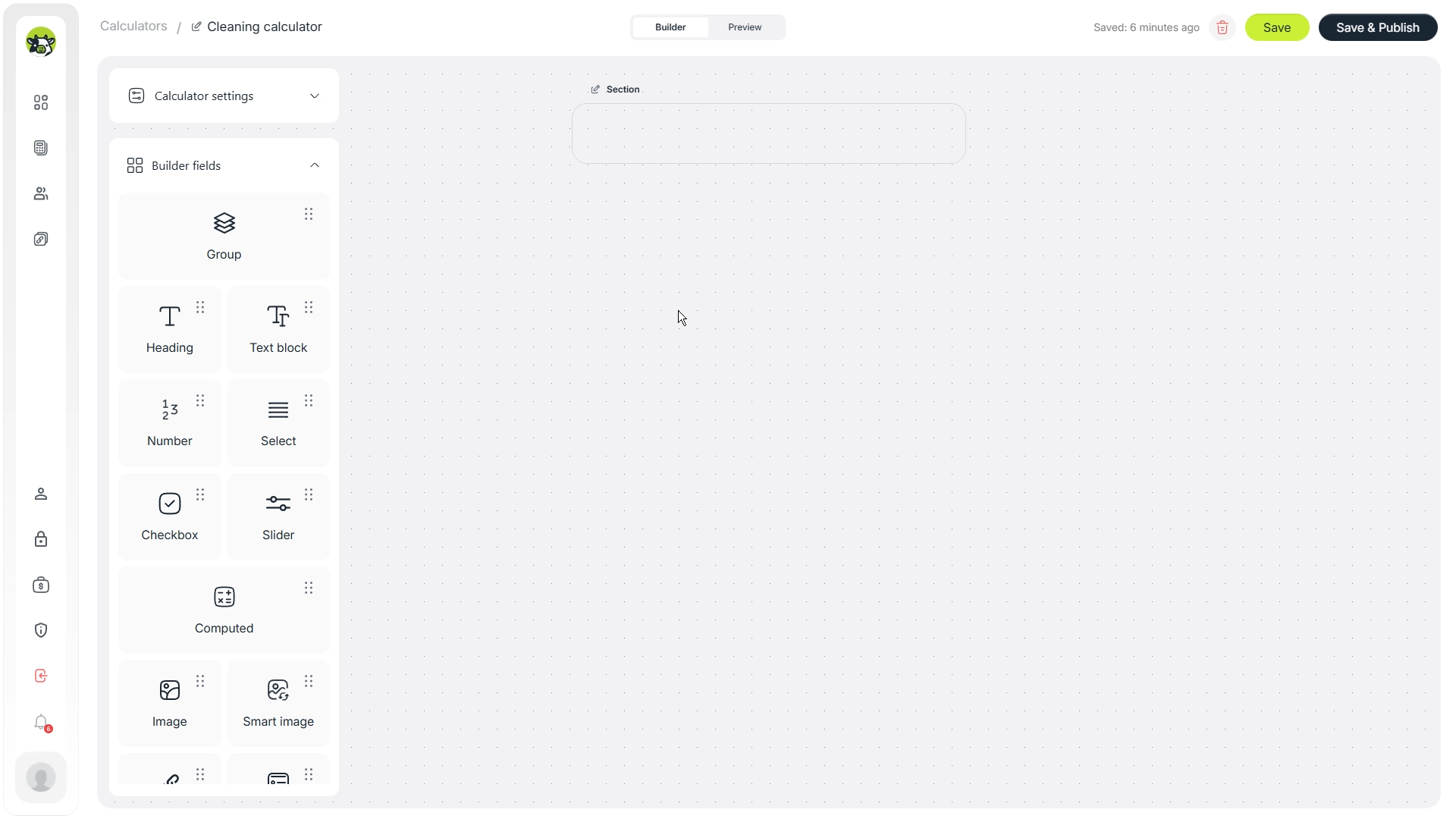
Step 1. Set the title, logo, and first screen
Start with the basic presentation. The title should immediately explain what the tool does, for example: “Cleaning Cost Calculator”. In the short description, it is worth clarifying that the result is an estimate, and the final price may be confirmed after checking the details.
This is important for expectation management. If the calculator gives a preliminary estimate, do not present it as a final fixed quote.
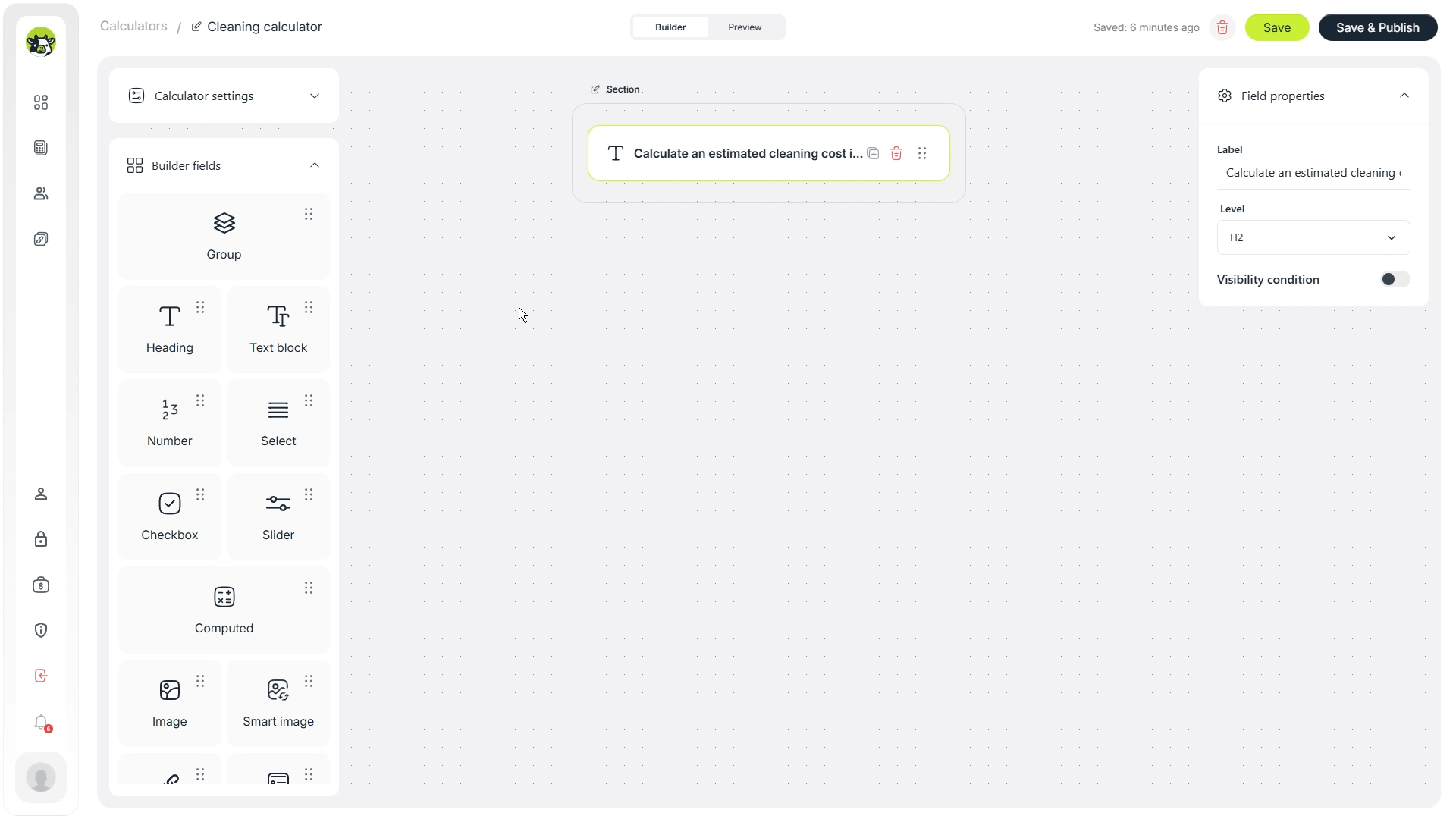
After that, add the first meaningful block. It can be a simple entry question such as “What needs to be cleaned?”. This helps the user understand the flow before they start selecting options.
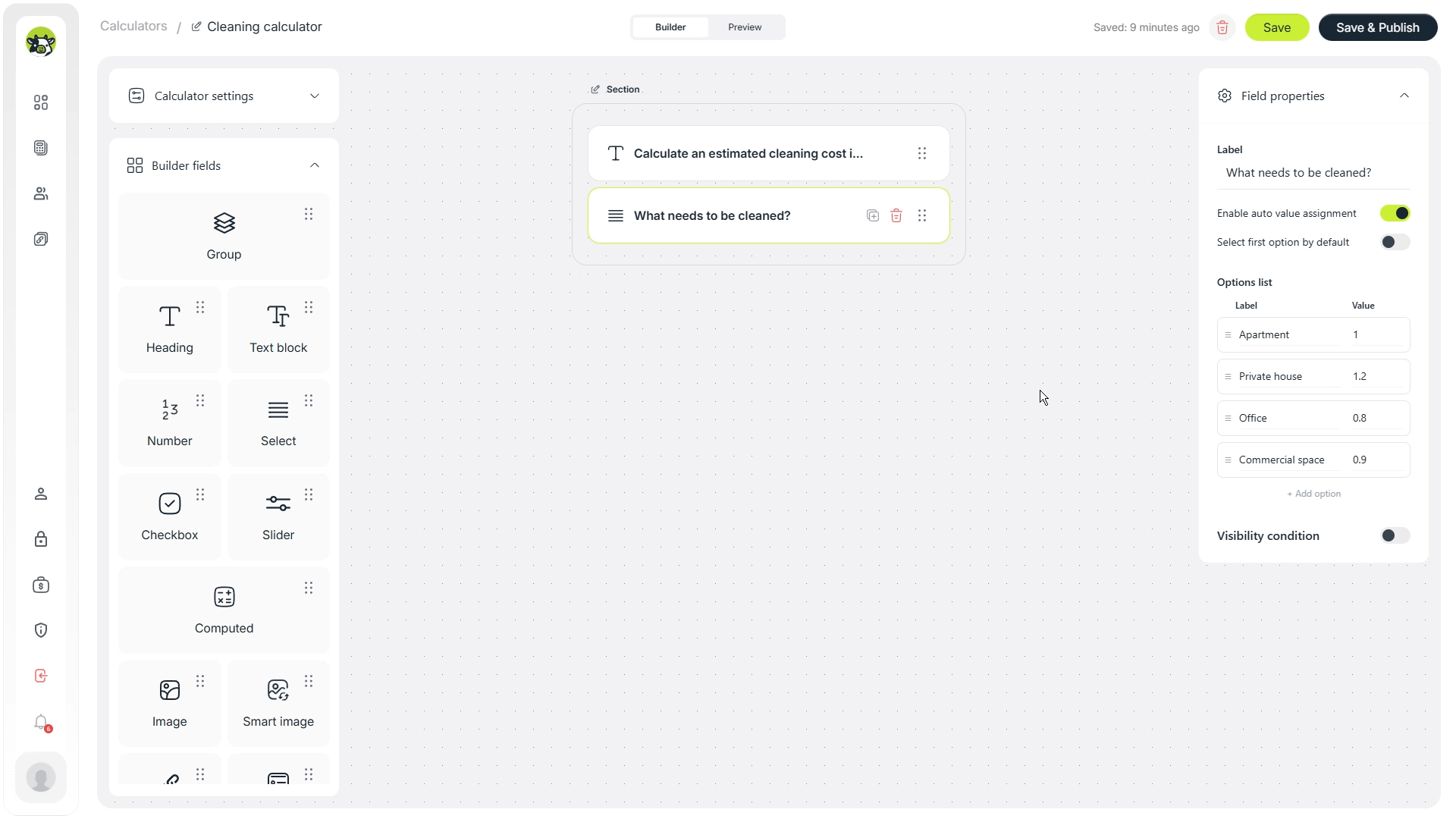
Step 2. Add the main calculation fields
Next, add the fields that directly influence the calculation. For a cleaning company, these are usually cleaning type, area, number of rooms, bathrooms, balconies, kitchen cleaning, pets, and dirt level.
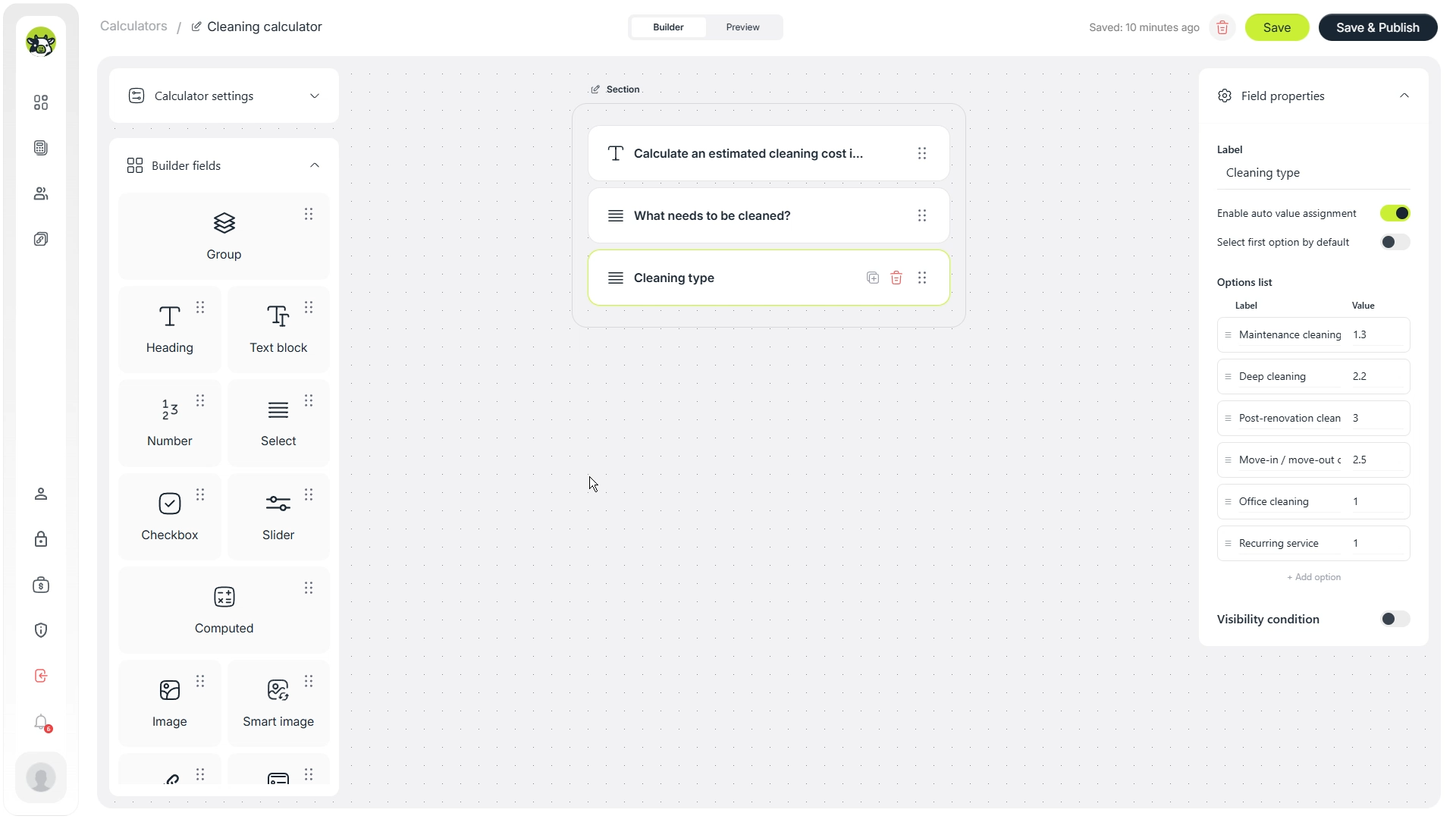
Cleaning type
The “Cleaning type” field separates different service scenarios: standard cleaning, deep cleaning, move-out cleaning, post-construction cleaning, or other options. In the formula, this field can work as a coefficient.
Property area
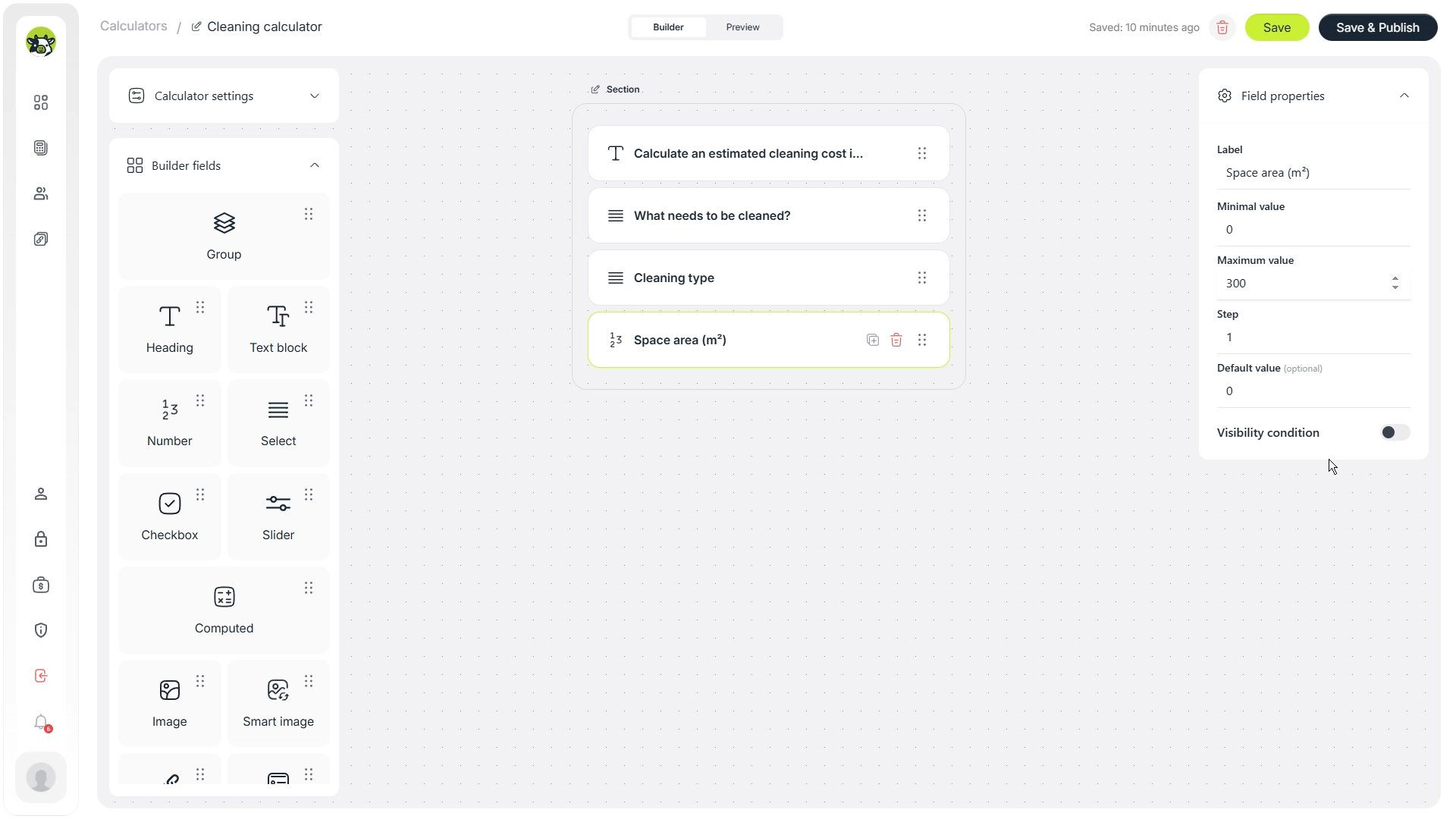
Area is one of the core pricing parameters. In many cleaning businesses, the base part of the price depends on square meters. A numeric input is a good fit here because the customer can enter the area directly.
Number of rooms
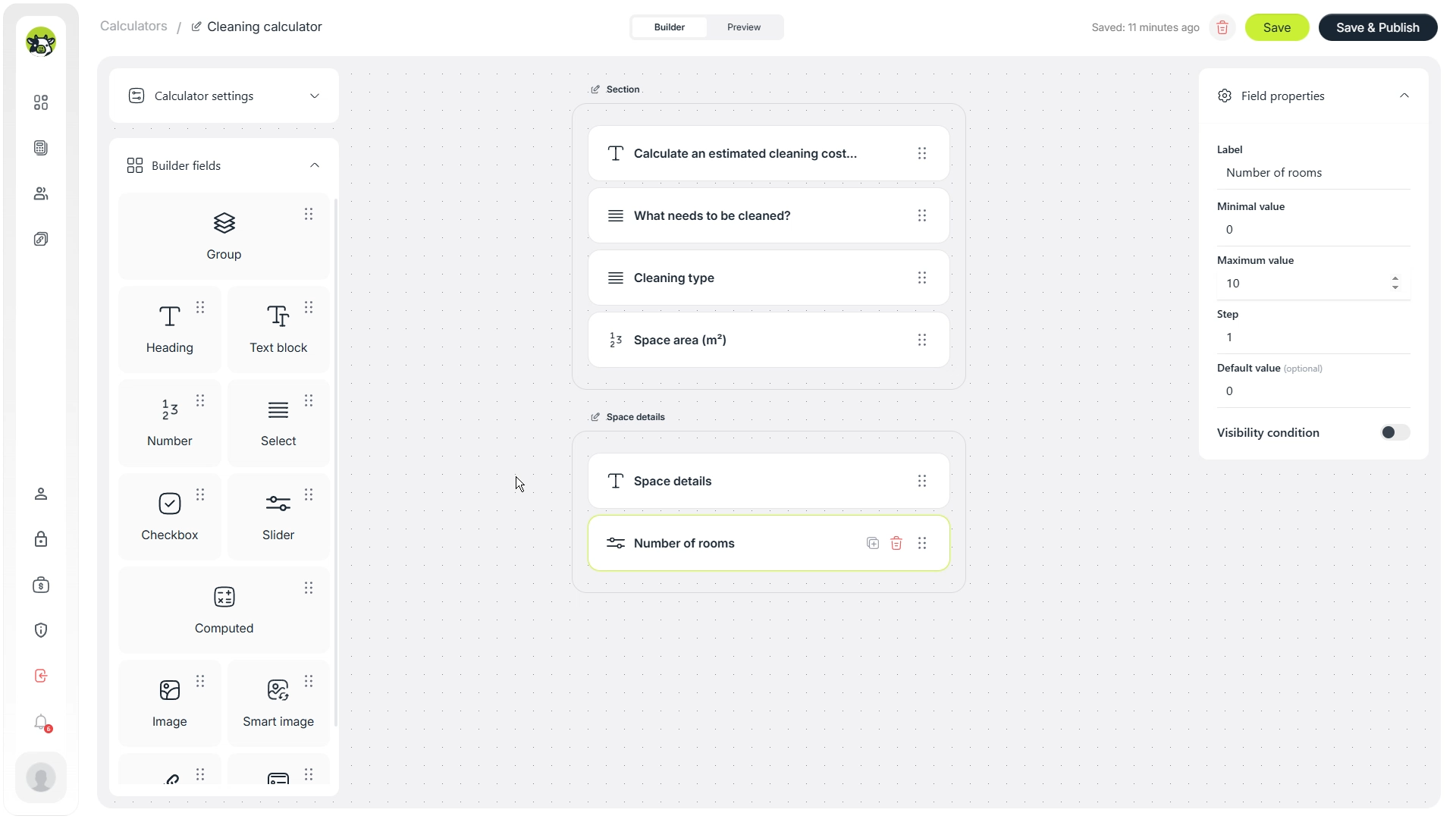
The number of rooms helps make the estimate more realistic. Two apartments with the same area can require different effort depending on layout, number of zones, and actual work volume.
Bathrooms and balconies
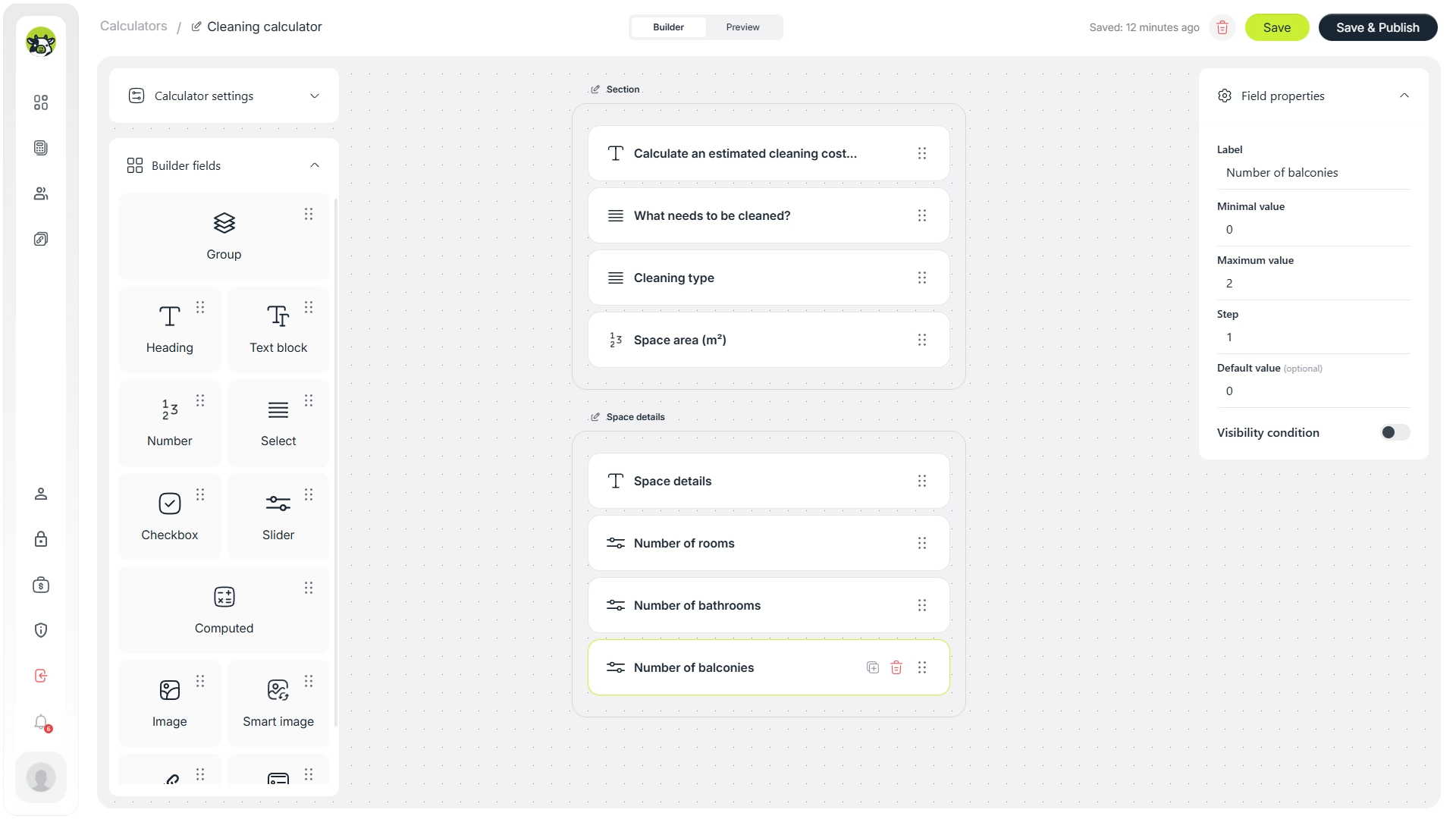
Bathrooms and balconies often require additional time, so it is better not to hide them inside the general area. They can be separate number fields or select fields, depending on how detailed the estimate should be.
Kitchen cleaning
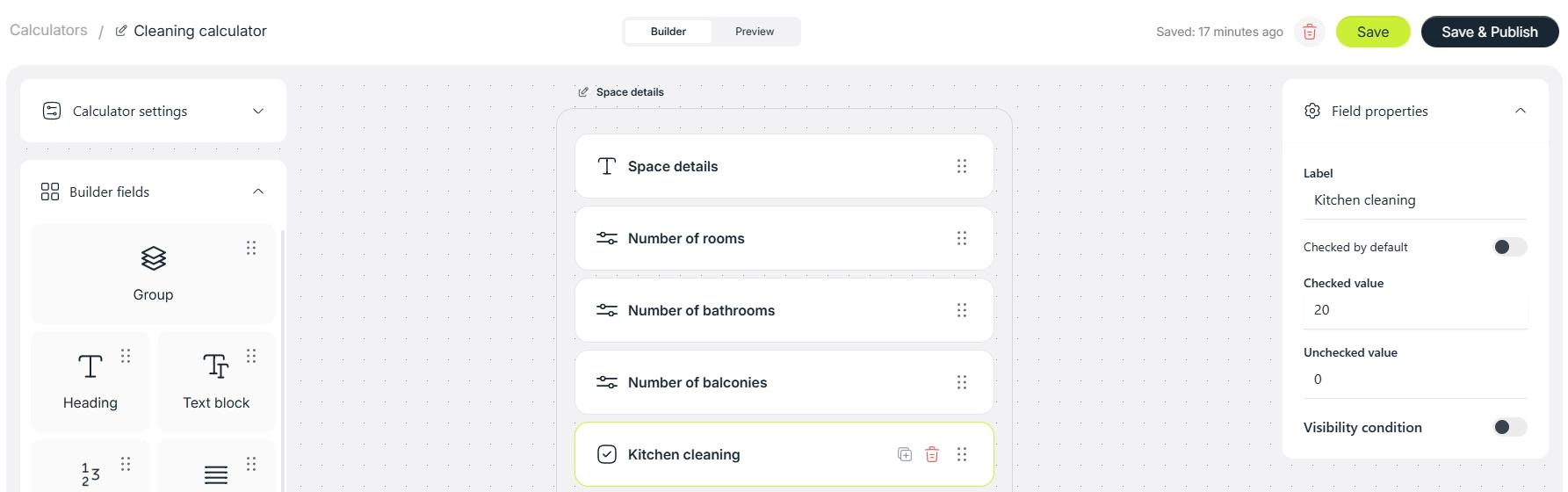
The kitchen is usually a separate zone with its own logic. In a simple version, this can be a Yes / No field. In a more advanced version, you can add separate options for cabinets, oven, hood, fridge, or other appliances.
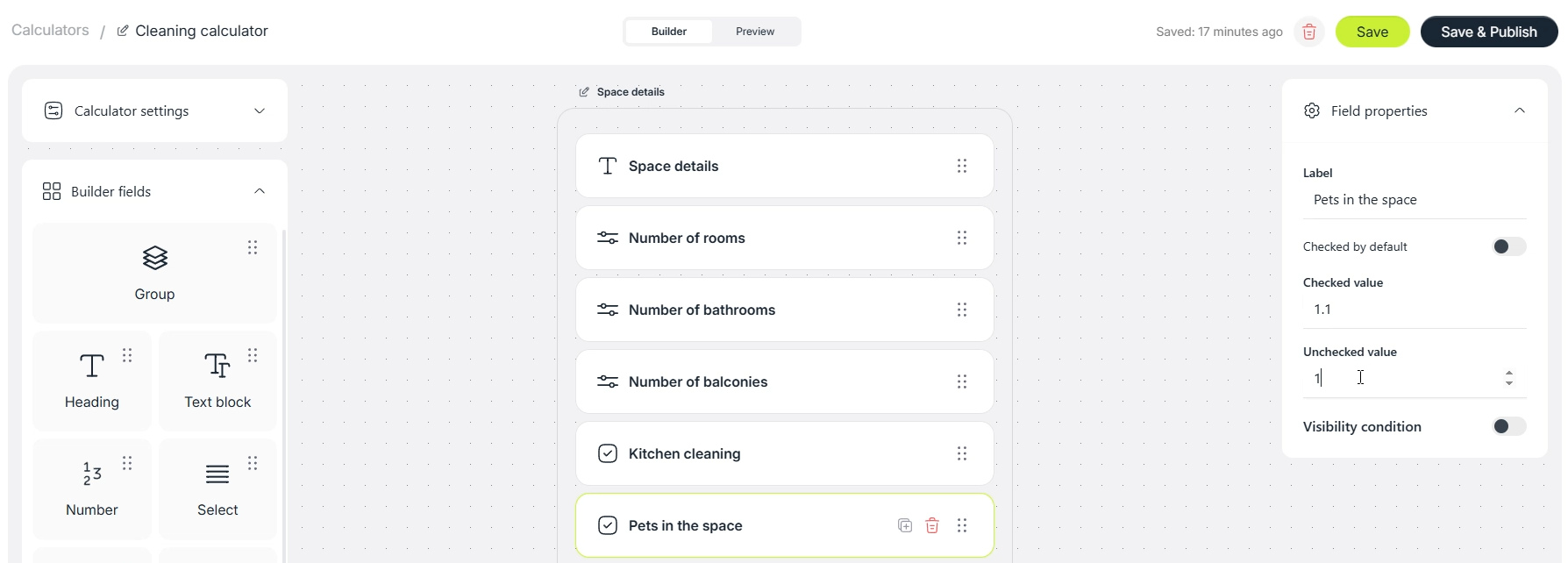
Pets
If there are pets in the property, the cleaning can take more time. This field can be used as a small coefficient or as a fixed additional fee.
Dirt level
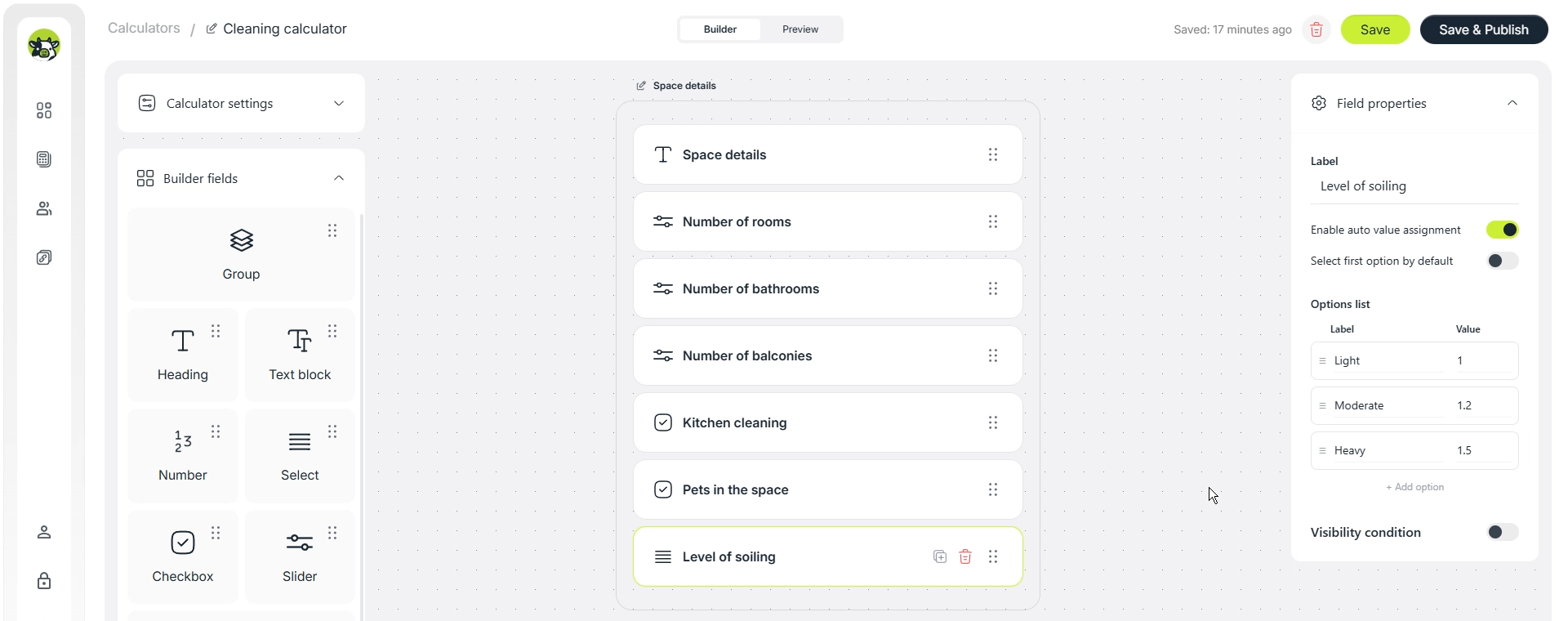
Dirt level makes the estimate more honest. For example, light dirt can have a coefficient of 1, medium dirt can have 1.2, and heavy dirt can have 1.5 or more. In a real calculator, the values should match the company’s actual pricing model.
Step 3. Add extra services and cleaning frequency
After the basic parameters, add the services that customers can order on top of the main cleaning. These options can increase the average order value and make the calculator more useful because users immediately see how additional work affects the price.
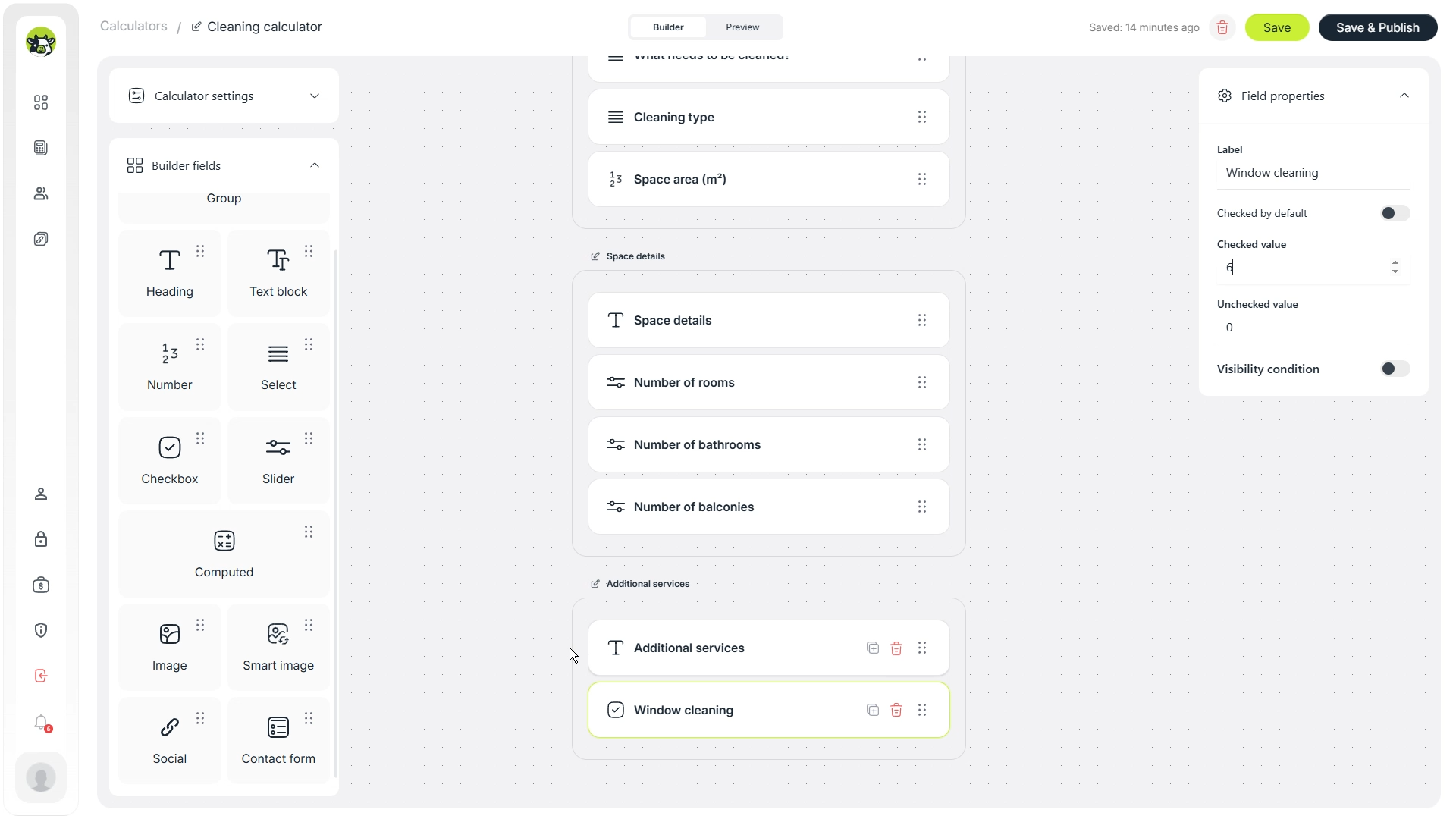
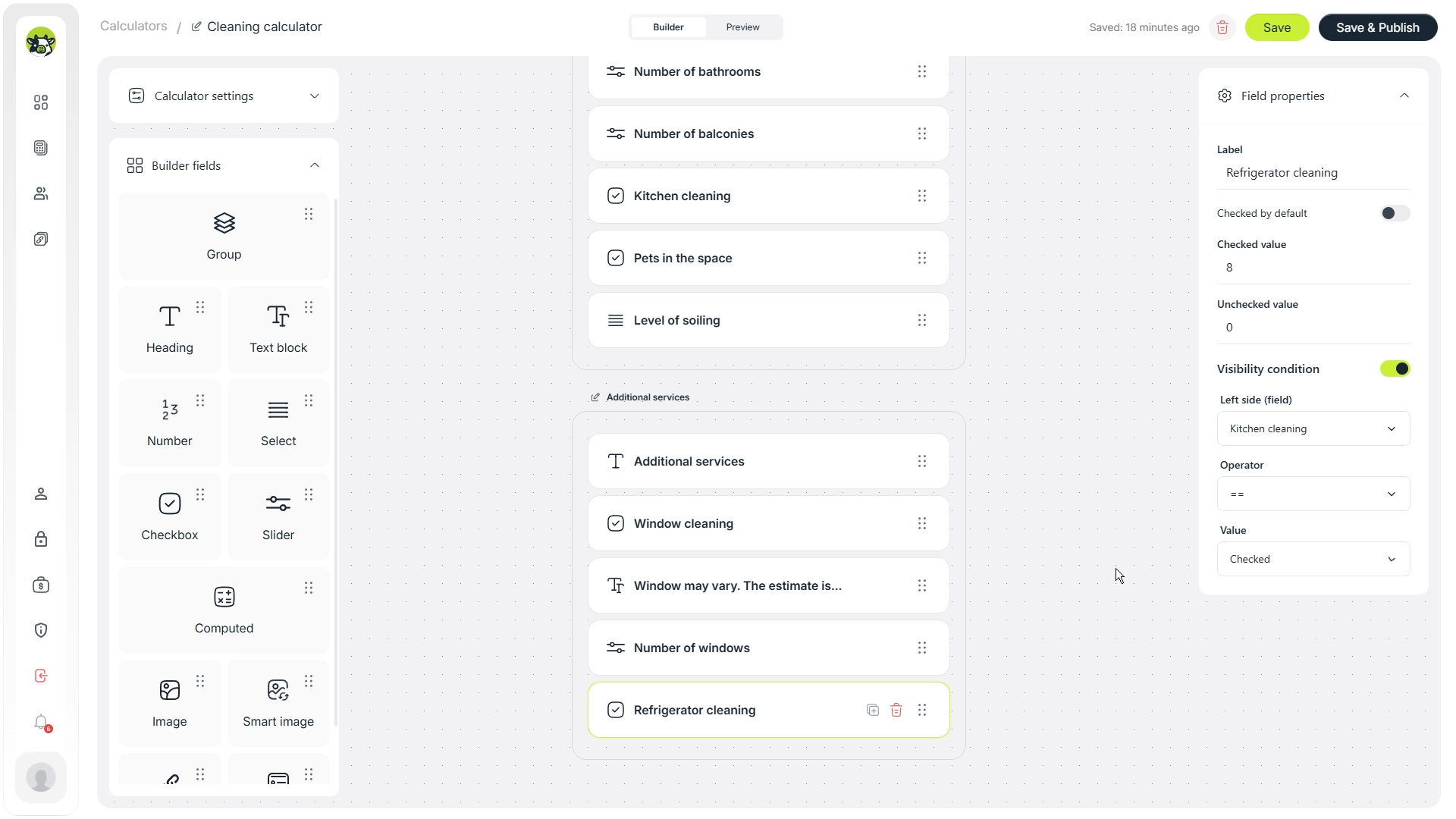
Window cleaning
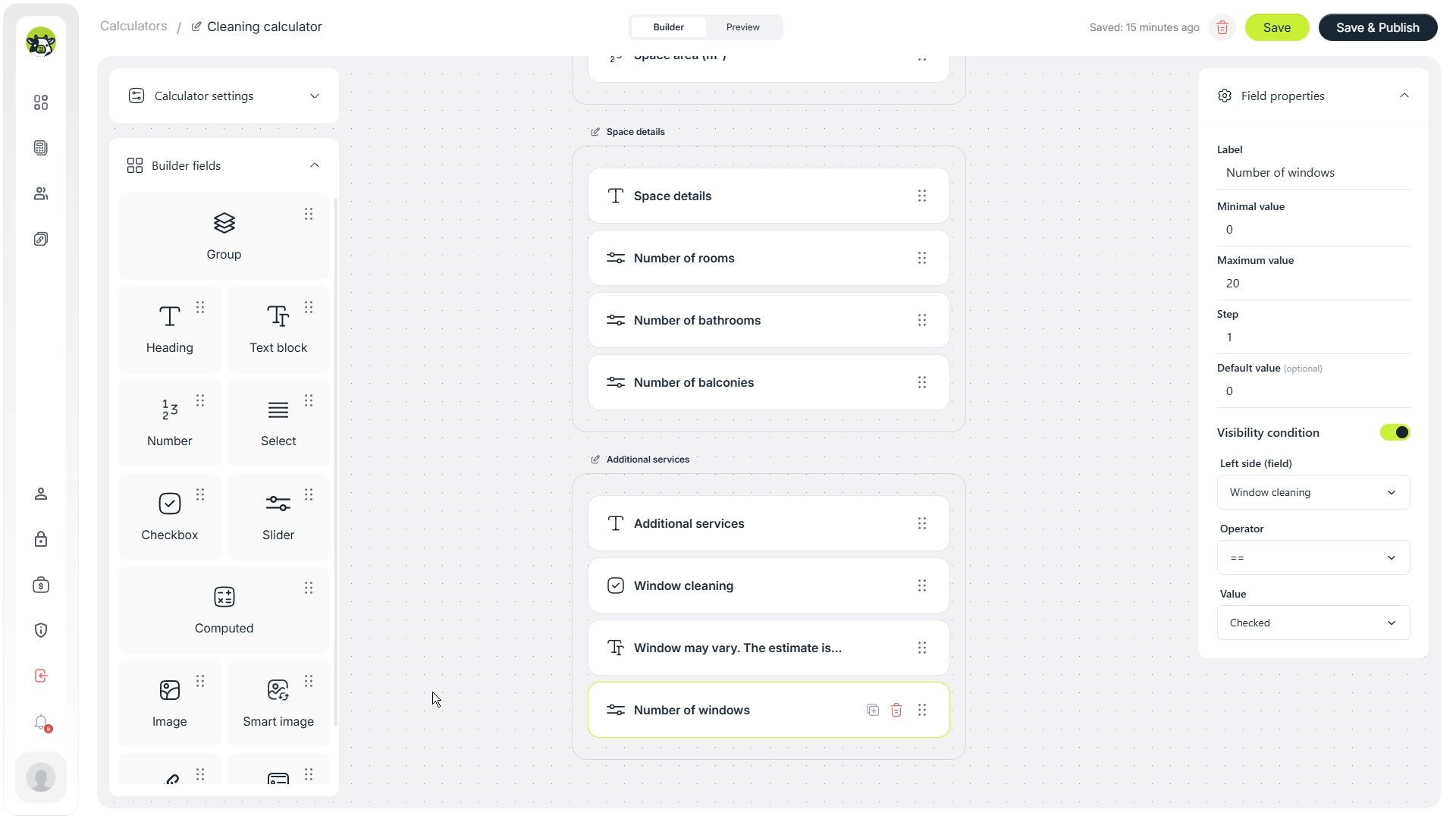
Start with a switch or select field for window cleaning. If the customer chooses this option, the calculator can then use the number of windows in the formula.
Number of windows
A separate field for the number of windows avoids a fixed, unrealistic add-on. One apartment may have two windows, while another may have eight or more.
Fridge cleaning
Fridge cleaning can be a separate add-on with a fixed price. In the example, it is treated as a selectable service, but the actual value should be adjusted for your company.
Sofa and chair cleaning
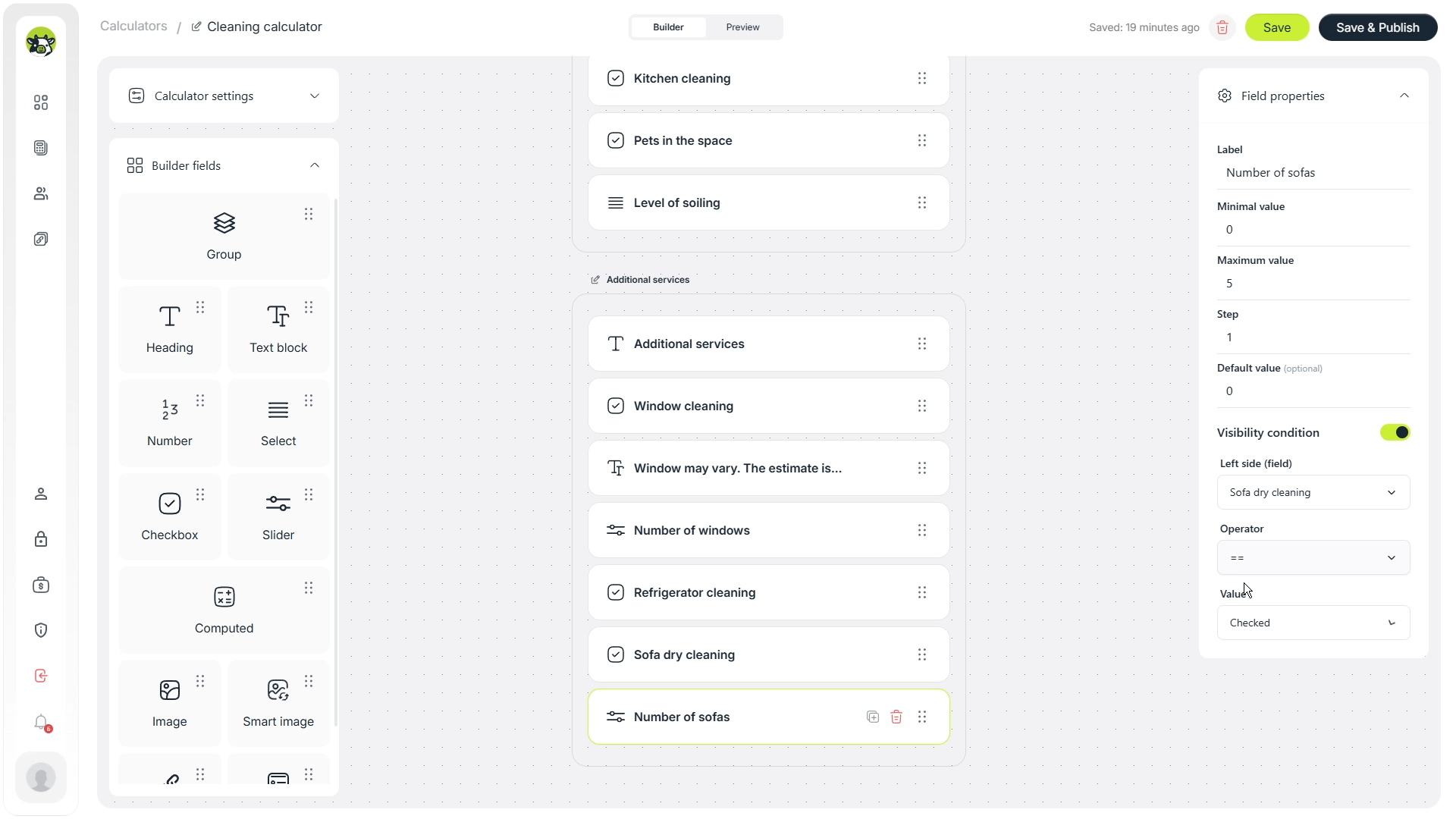
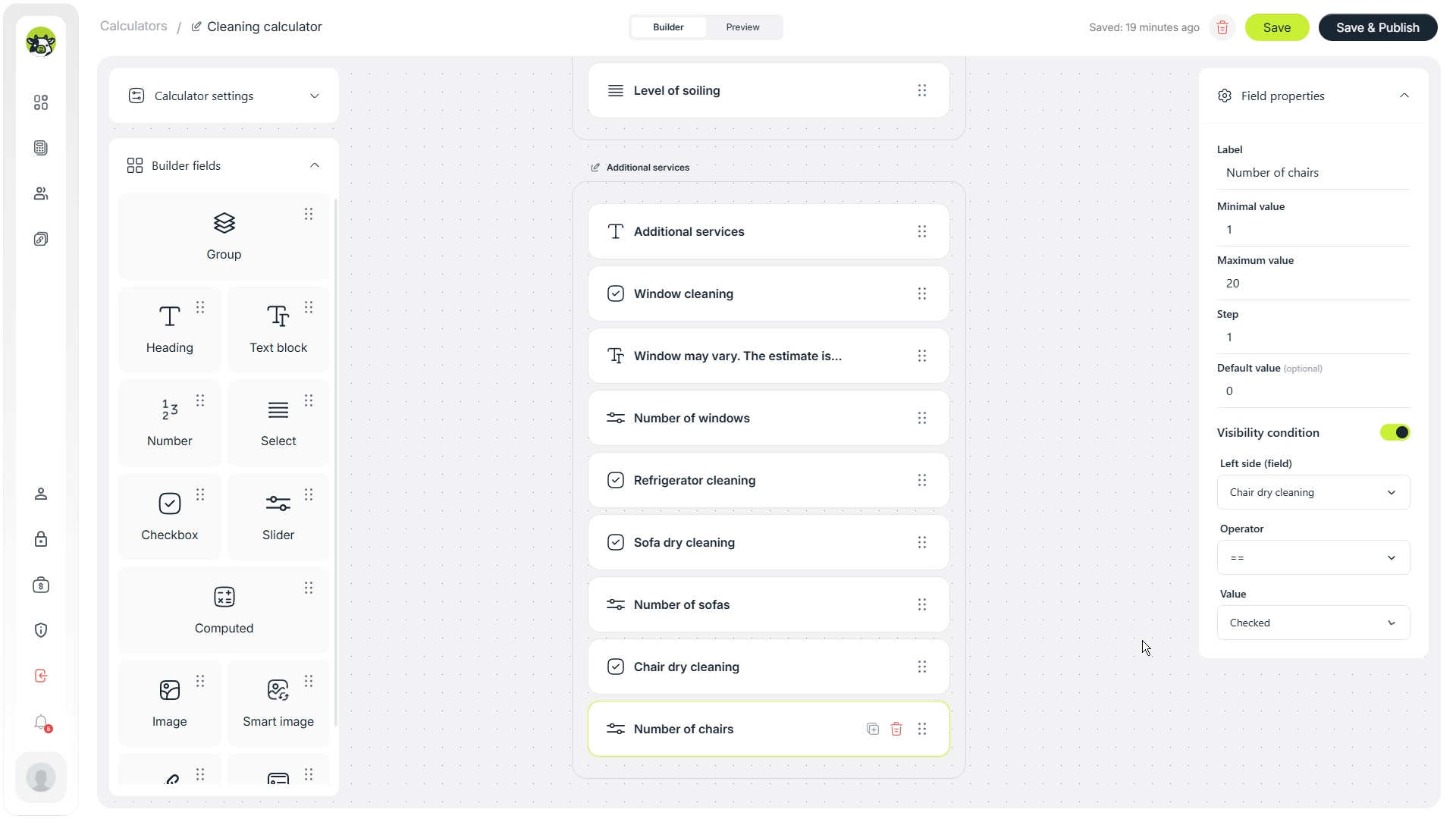
For furniture, quantity-based fields are usually better than a simple Yes / No option. The calculator can then count the exact scope: how many sofas and how many chairs need cleaning.
Cleaning frequency
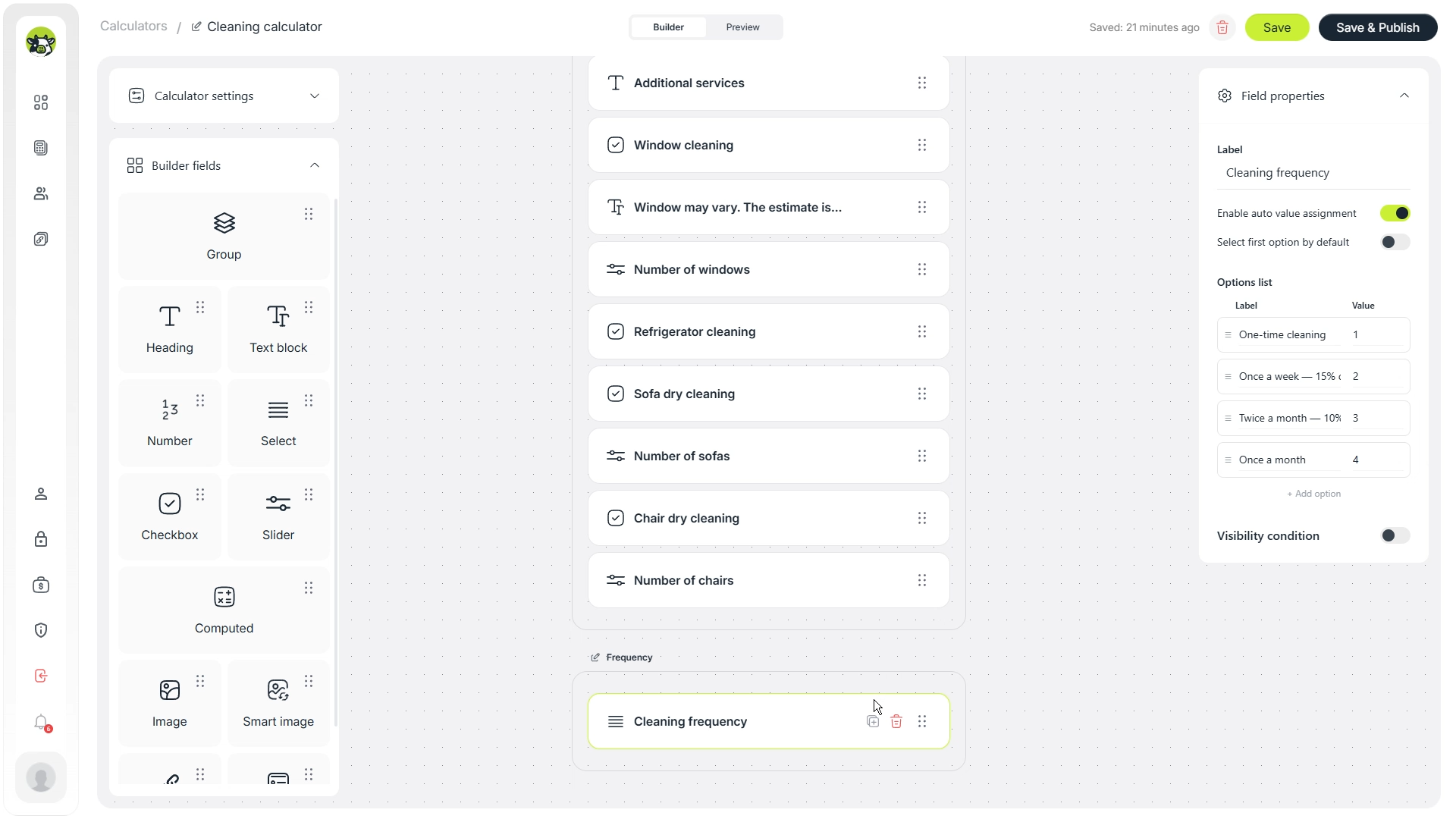
The frequency field lets you create different scenarios: one-time cleaning, weekly cleaning, several times per week, or a monthly estimate. Later, this field will be used for visibility conditions.
Step 4. Switch to conditions and prepare helper calculations
Once the main fields are ready, you can start building the calculator logic. Cowculator allows fields to work in conditional mode when a value or visibility should depend on the user’s answer.
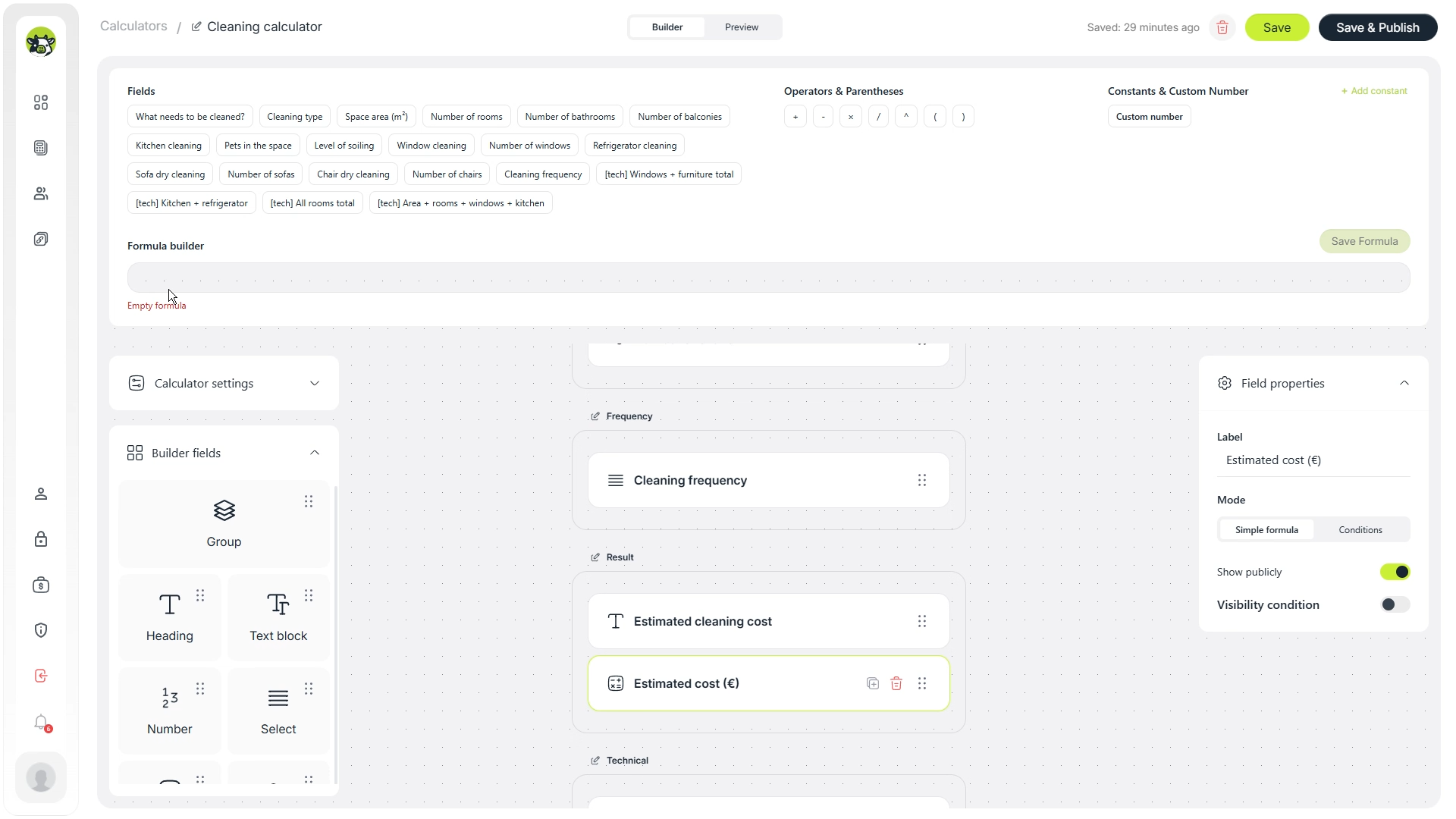
For a calculator with many add-ons, it is better not to put everything into one long formula immediately. Instead, create helper calculations: one for windows, one for kitchen-related options, and one for the base room and area calculation.
Windows and furniture
One helper calculation can handle items that depend on quantity: windows, sofas, and chairs. This keeps the final result formula easier to read and test.
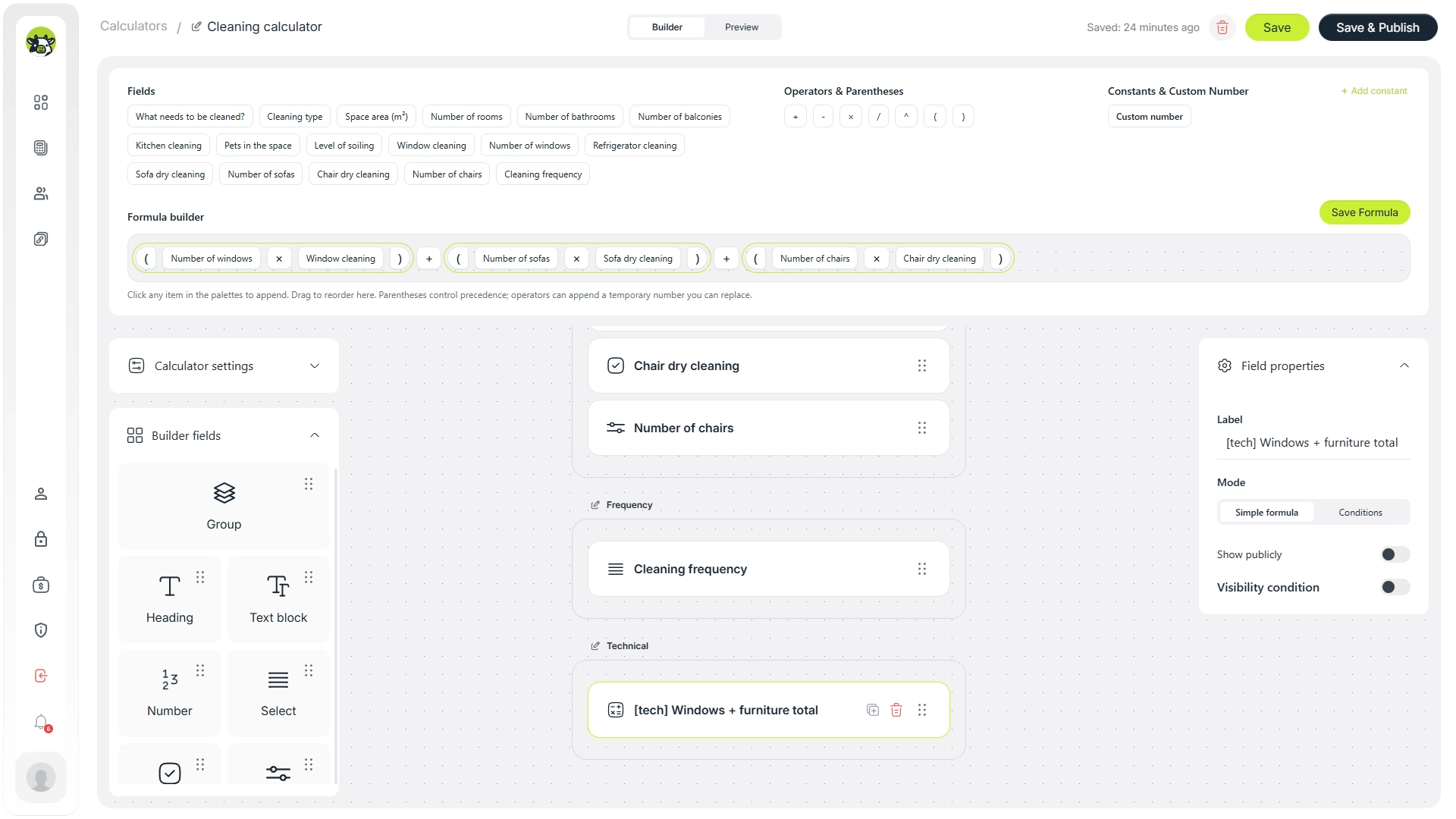
Kitchen-related calculation
Another helper calculation can handle kitchen cleaning and fridge cleaning. This is useful because the kitchen often has several optional add-ons that should not overload the final formula.
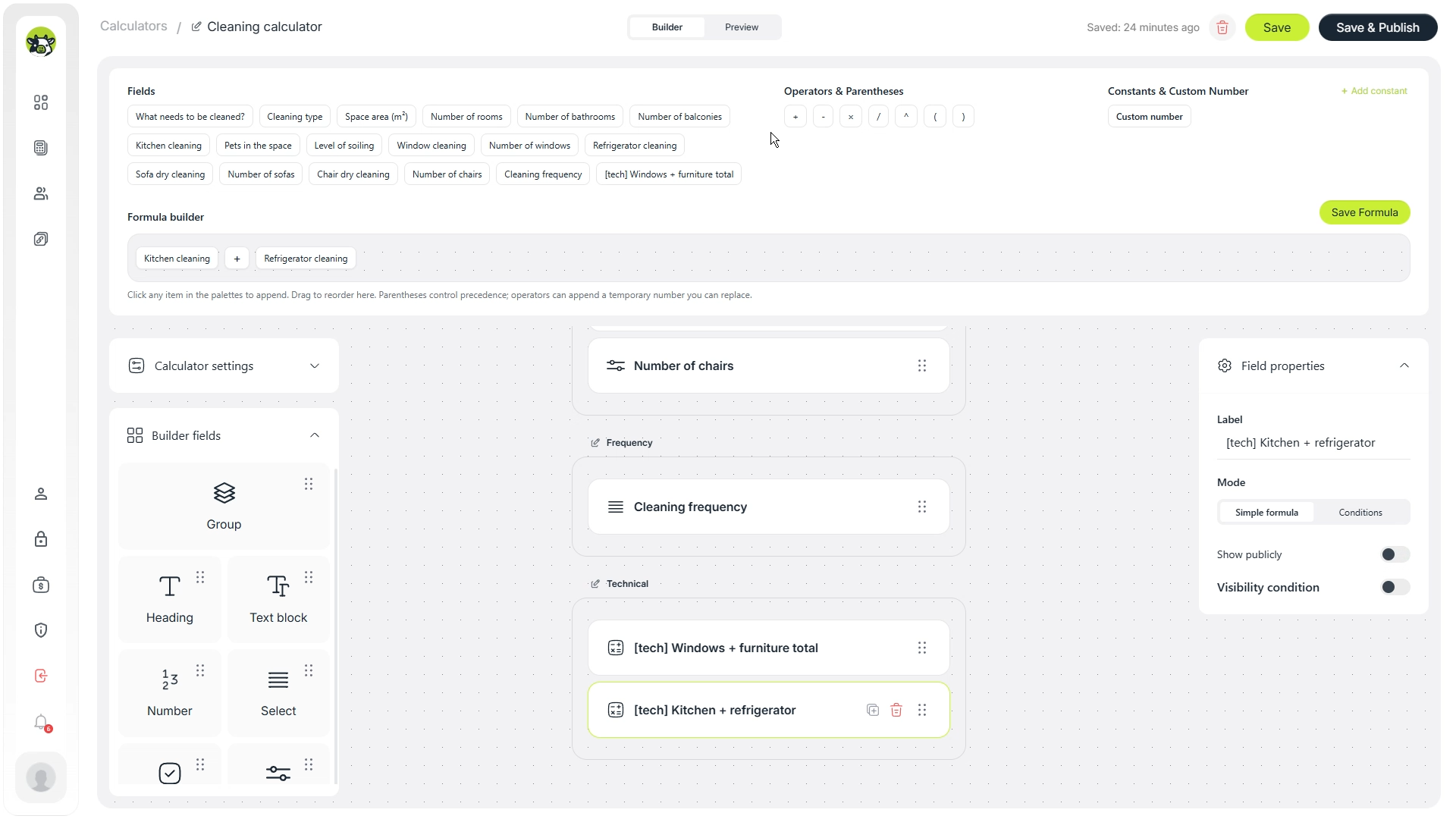
Base calculation for all rooms
A separate helper calculation can handle the base cleaning cost: area, rooms, bathrooms, balconies, and other standard property parameters.
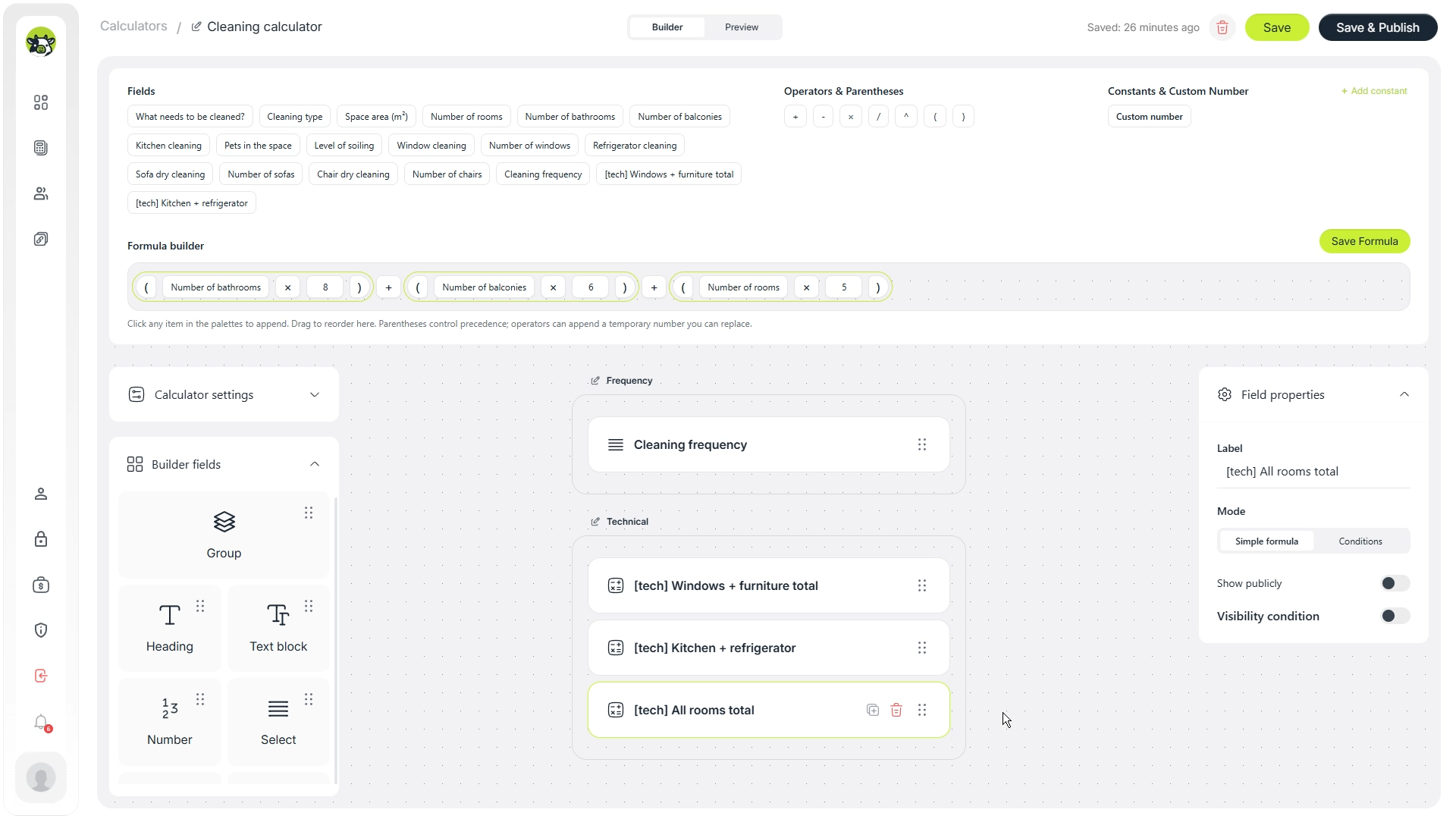
Long formulas are harder to verify and maintain. Helper calculations make the logic more modular: you can test each part separately and then combine them in the final result.
Step 5. Build the final cleaning cost formula
After the helper calculations are ready, combine them into the final estimated price. In simplified form, the logic can look like this:
Estimated cleaning cost =
(base cleaning calculation + extra services)
× cleaning type coefficient
× dirt level coefficient
× pets coefficient
In Cowculator, the formula is assembled from fields, helper fields, operators, and brackets. This reduces the risk of mistakes compared with manually writing one long expression from scratch.
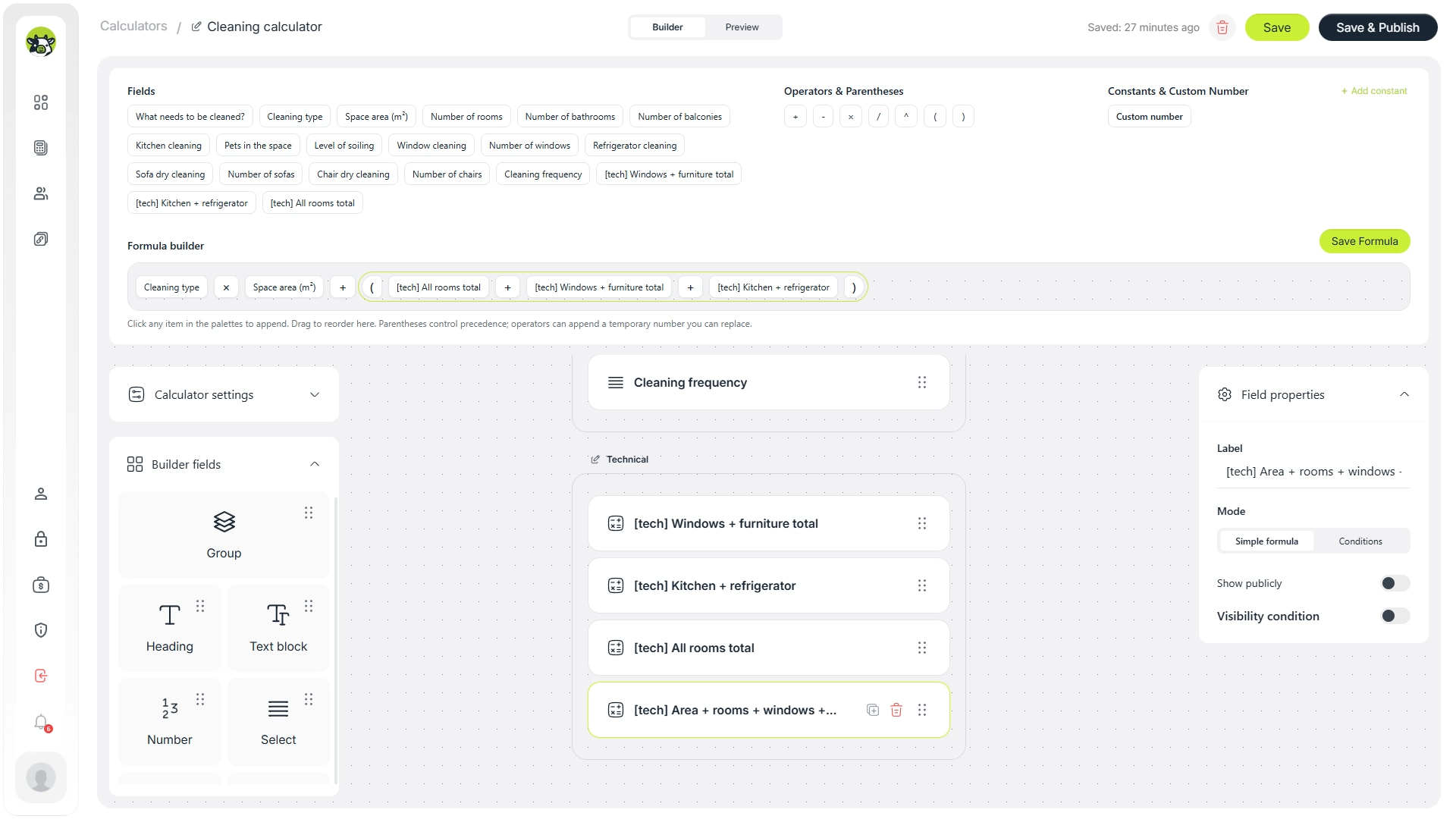
Then add the required coefficient to the final formula. This allows the same calculator to adapt to different cleaning types and complexity levels without duplicating the whole calculation logic.
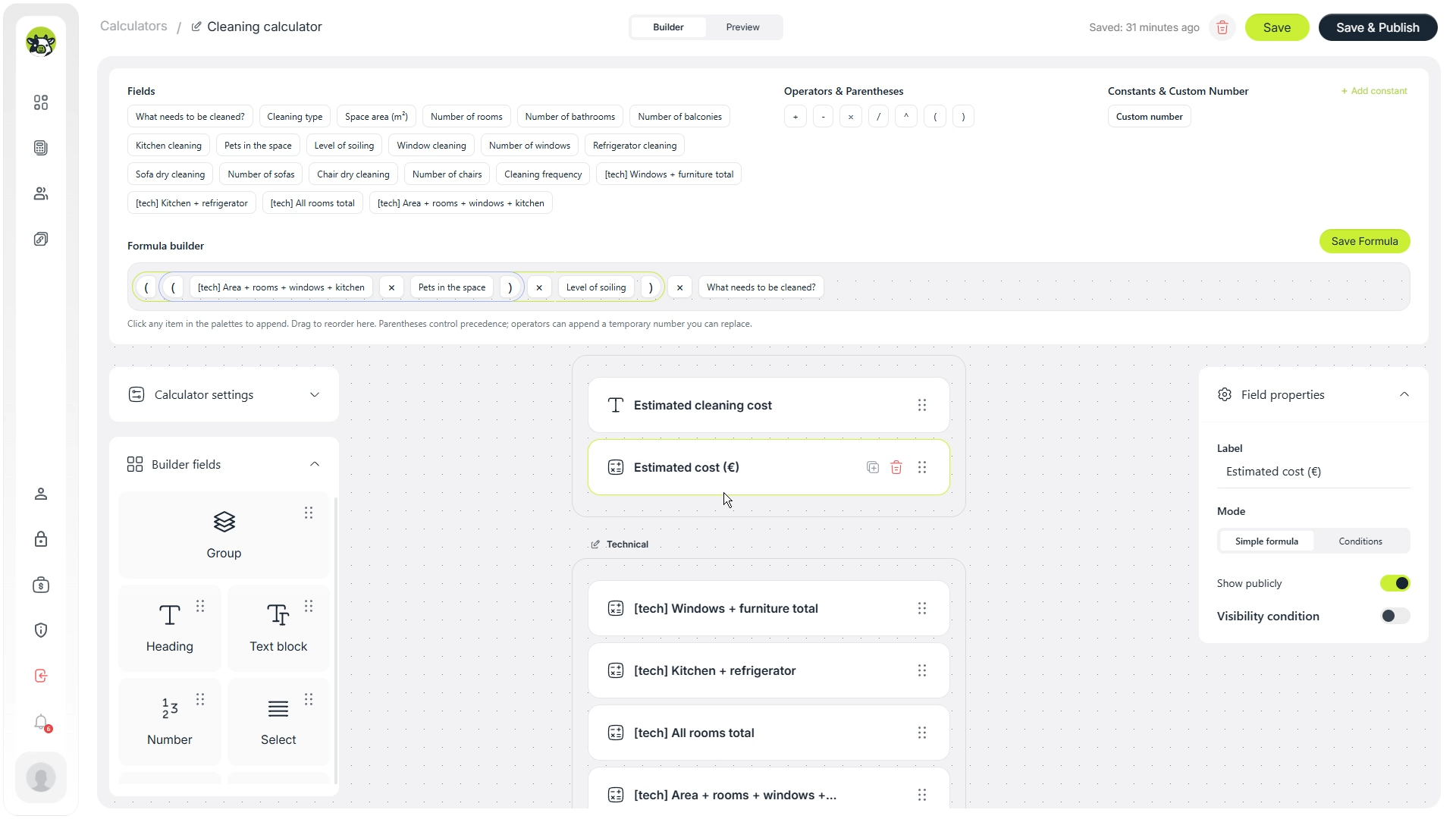
Practical note: for service businesses, it is usually better to label the result as an “estimated cost”, “preliminary estimate”, or “approximate price”. This keeps the promise realistic if the final quote depends on details that are hard to capture online.
Step 6. Set visibility conditions for one-time and recurring cleaning
Visibility conditions let you show only the blocks that are relevant to the customer. For example, one-time cleaning can show a single estimated price, while recurring cleaning can show a monthly estimate or another result format.
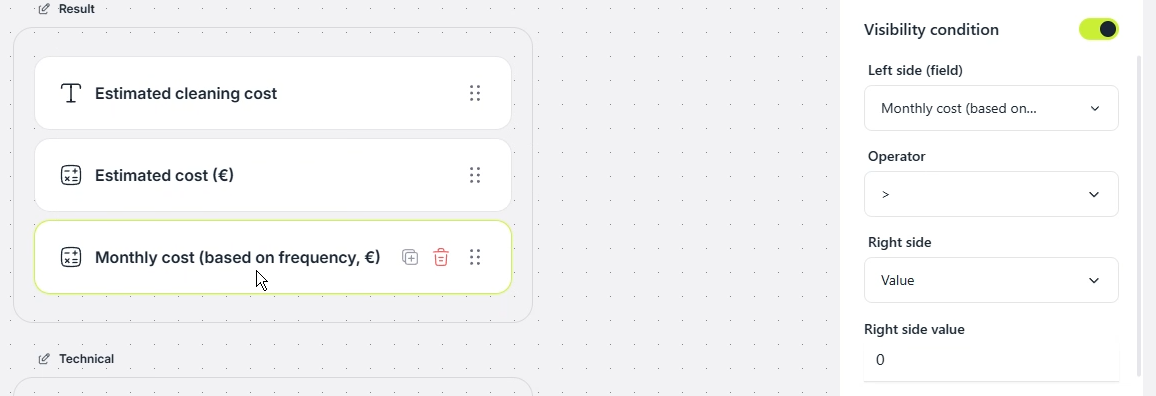
First, create a condition for one-time cleaning. It defines when this result branch should be displayed.
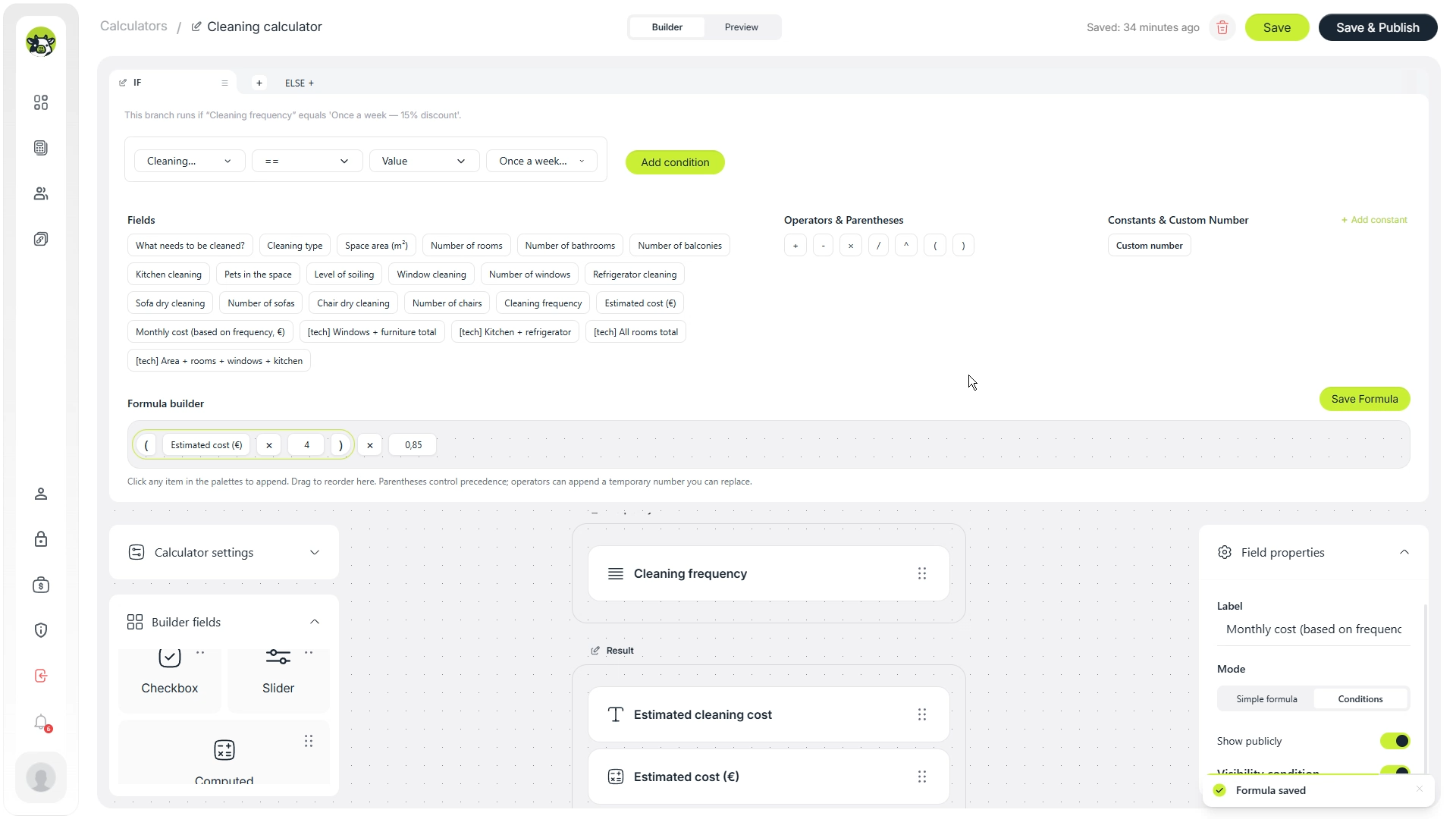
To speed up the setup, you can copy a condition and then change it for another scenario. This is useful when the logic is similar but depends on a different field value.

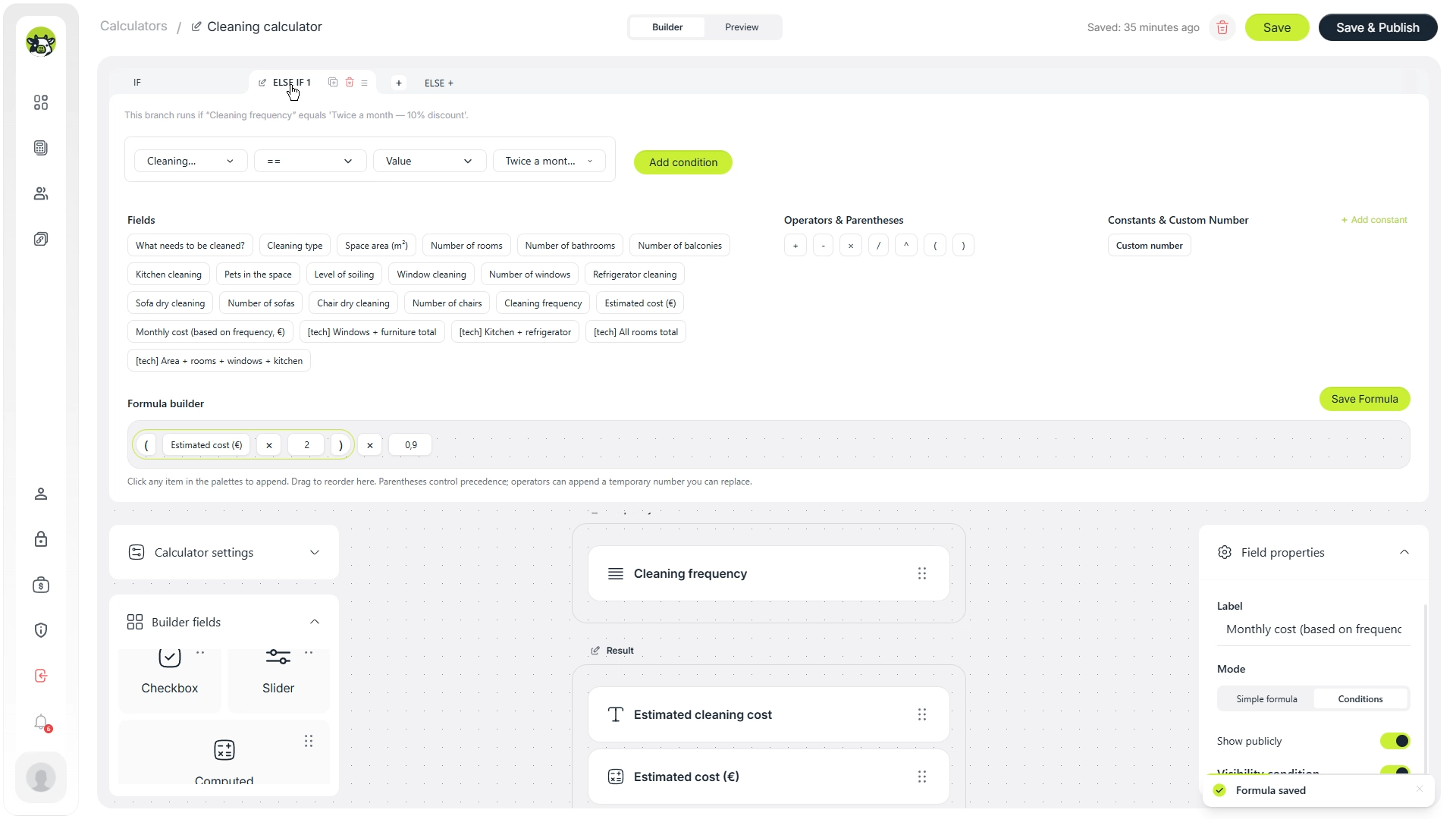
For a third scenario, you can skip the one-time cleaning option and connect the condition to recurring cleaning. This lets the calculator behave differently depending on the customer’s selected frequency.
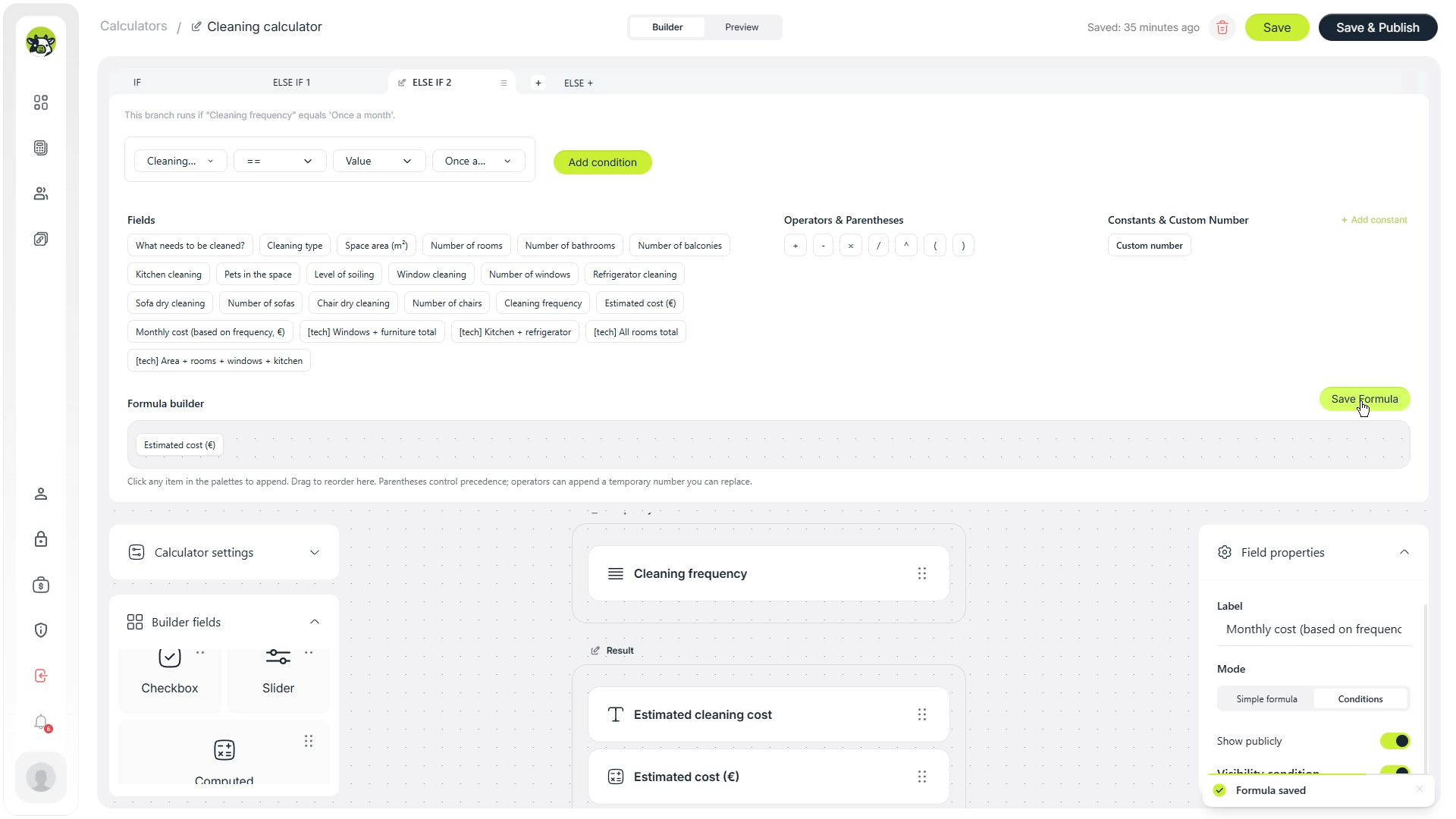
Use conditions for recurring cleaning, discounts, additional blocks, different result formats, and any situation where a field or result should appear only after a specific customer answer.
Step 7. Add a contact form
After the calculation, the user needs a clear next step. For a cleaning company, this can be a form with a call to action such as “Get an exact quote”, “Book cleaning”, or “Contact a manager”.
The form should usually ask only for the necessary details: name, phone number, or email. Do not turn it into a long questionnaire because the customer has already entered many job details in the calculator.
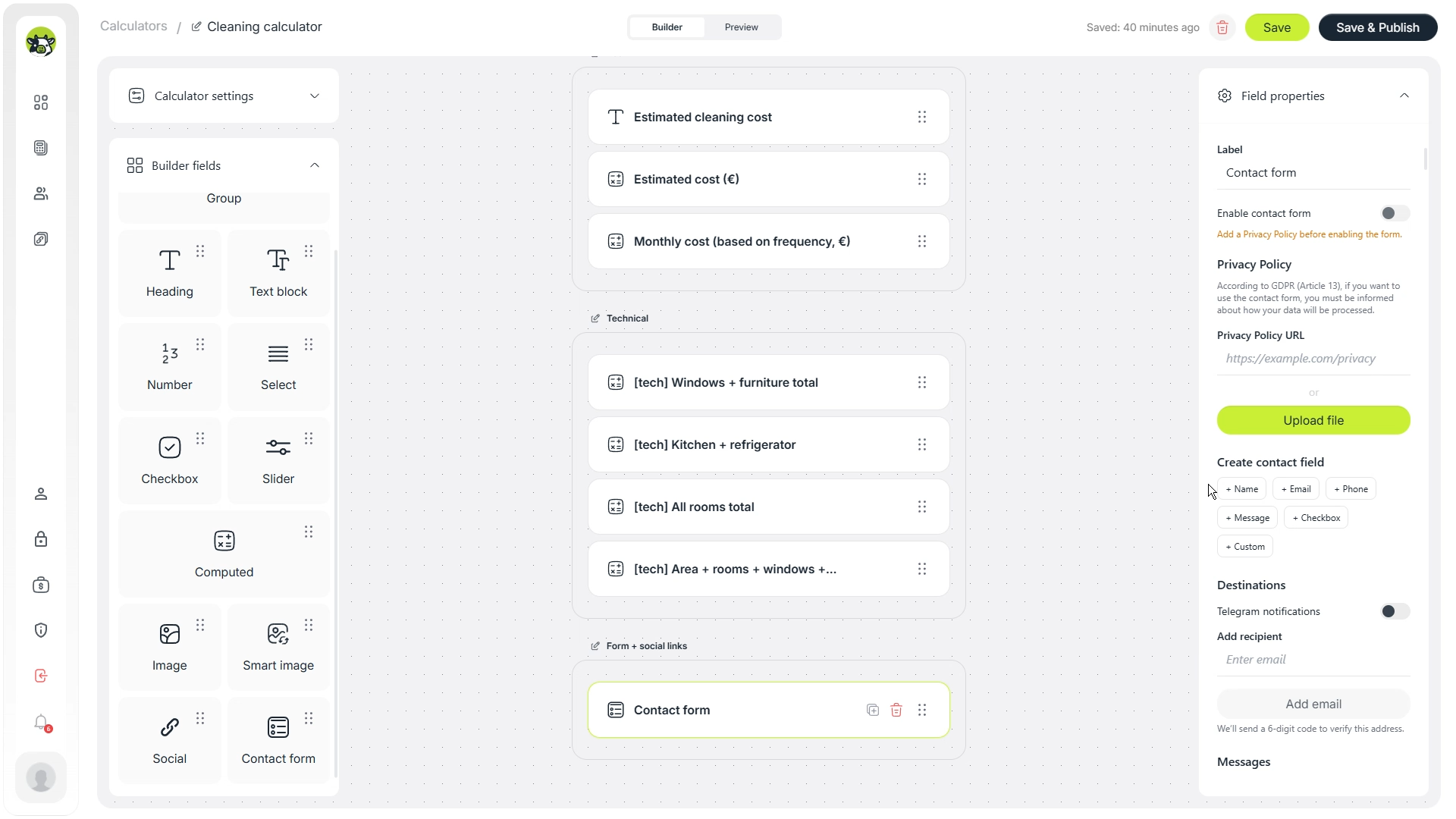
To enable a contact form, add a privacy policy link. This is important because the form collects personal data from the user.
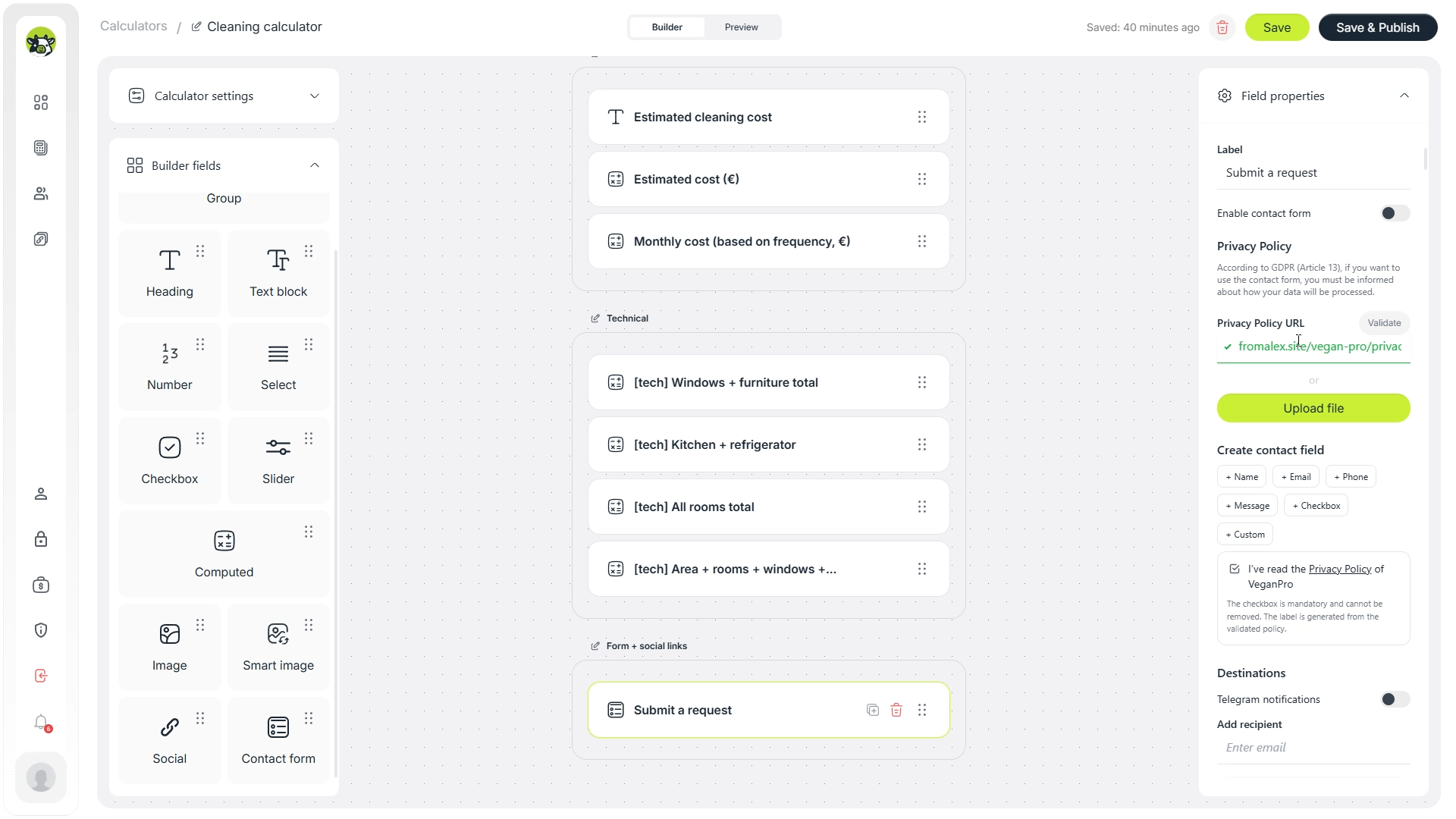
Example microcopy near the form: “Leave your contact details, and we will check the cleaning details, verify the estimate, and send you the final price.”
Step 8. Turn on Telegram notifications
For a service business, response speed matters. After the contact form is ready, connect Telegram notifications and add the recipient who should receive new requests.
Then a request from the calculator can go directly to the right chat or channel. The manager can see not only the customer’s contact details, but also the parameters used in the calculation.
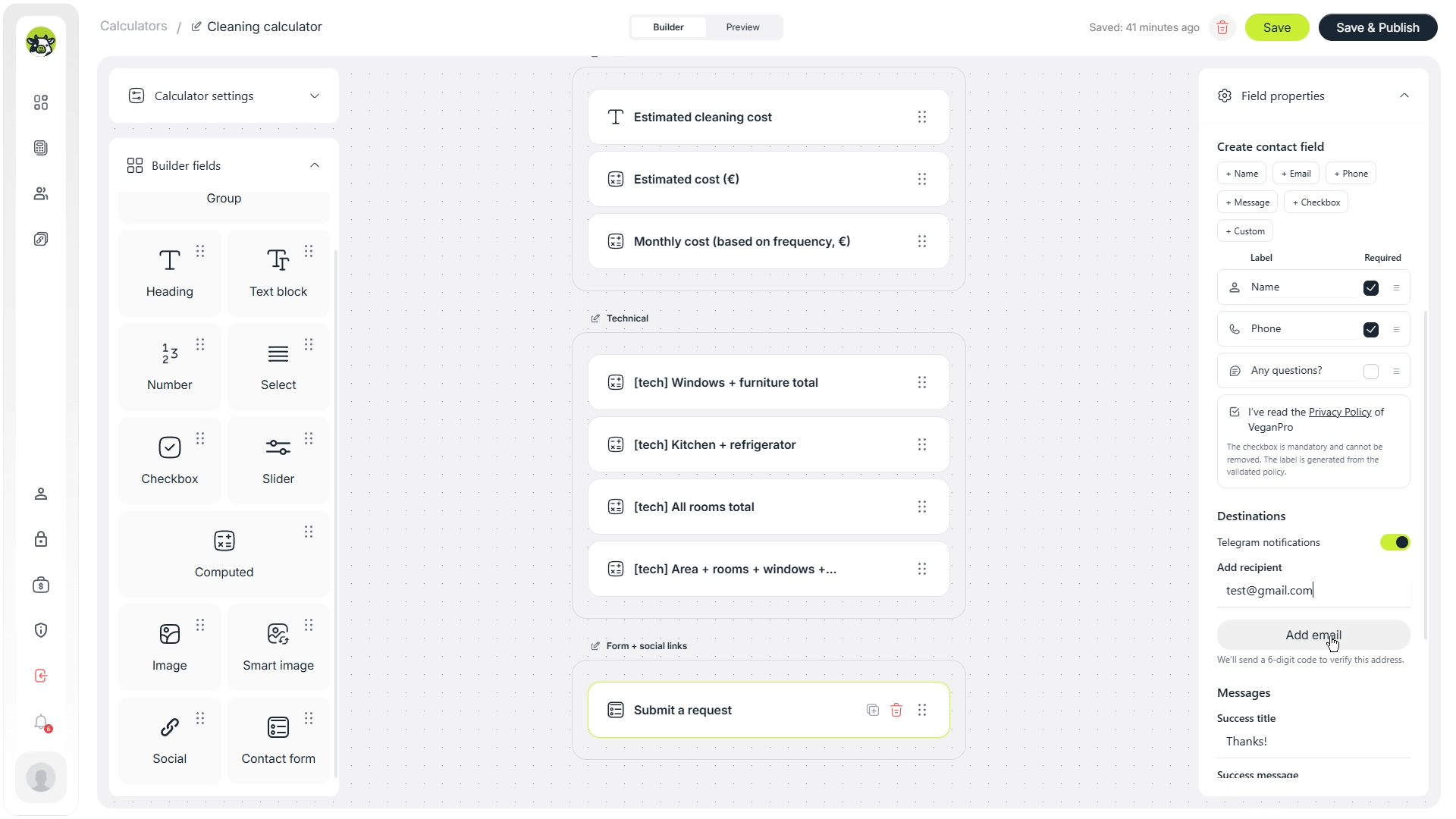
You can also edit the message template. For example, include the calculator name, final estimate, selected services, property area, and customer contacts.
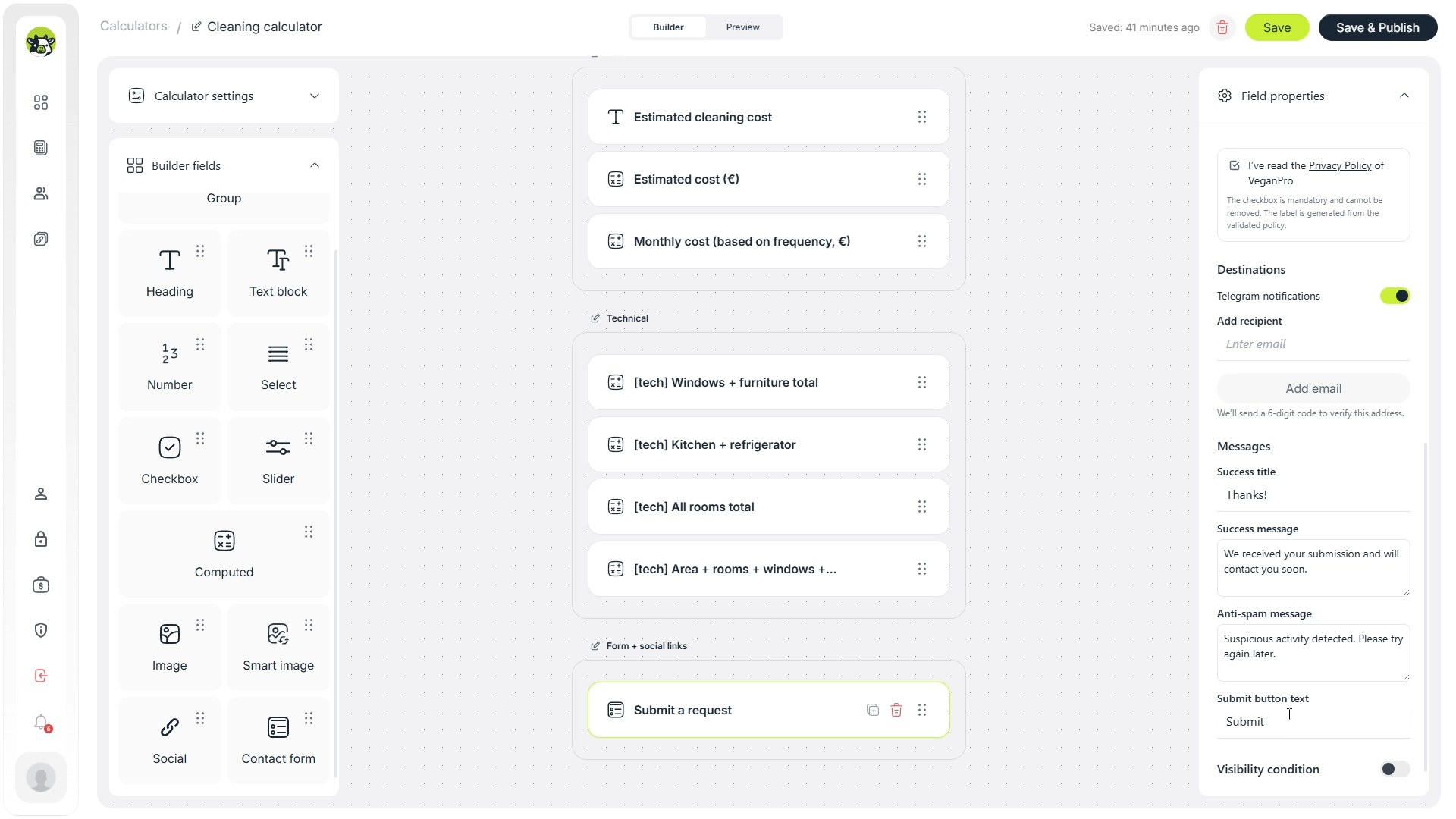
New request from the cleaning calculator
Name: {name}
Phone: {phone}
Estimated cost: {result}
Cleaning type: {cleaning_type}
Area: {area}
This is only a message structure example. The actual variables should match the fields in your calculator.
Step 10. Publish the calculator and create a short link
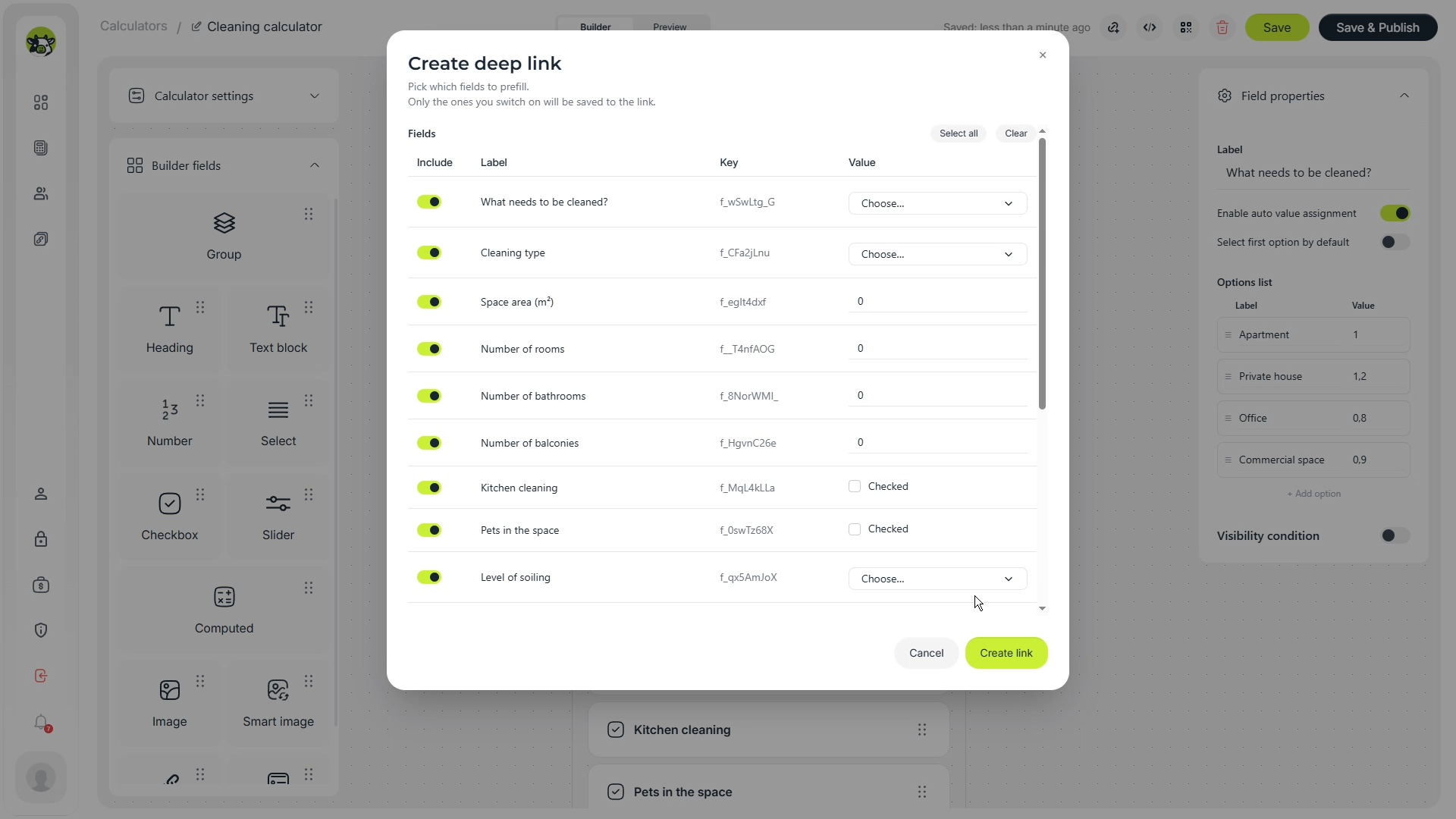
When the calculator is ready, save and publish it. After that, create a short link. It is easier to send in conversations, add to Instagram, use in Telegram, include in ads, or turn into a QR code.

If needed, the short link can include initial values. For example, you can open the calculator with a predefined cleaning type or a typical area. In this example, initial values are not required.
After clicking the creation button, Cowculator shows that the short link has been created and copied.
Where to use a cleaning service calculator
A cleaning calculator is useful not only on a website. It can also support ads, social media, direct messages, manager workflows, and SEO pages.
Cleaning company website
Add the calculator to a service page so users can estimate the budget and submit a request without waiting for a manual quote.
Instagram and Telegram
A short link can be sent in direct messages or placed in a profile bio, so managers do not have to calculate every request manually.
Google Ads
For paid traffic, the calculator can work as a lead magnet: the visitor receives value first and then leaves contact details.
SEO landing page
A dedicated “cleaning cost calculator” page can collect search traffic from users who are already comparing prices.
Recommendations for better conversion
The presence of a calculator does not automatically guarantee leads. The user should quickly understand the value, complete the calculation without friction, and see a logical next step.
- Do not make the calculator too long. For the first version, keep only the most important fields.
- Use customer-friendly field names. Replace technical wording with language your clients understand.
- Explain that the price is estimated. Cleaning prices can change after checking real property conditions.
- Place the contact form after the result. The user should leave a request when they have already seen value.
- Send calculation parameters with the lead. Managers can respond faster if they see area, cleaning type, add-ons, and estimated cost.
- Check the mobile version. For Instagram, Telegram, and ads, many users will open the calculator from a smartphone.
Can this calculator help with SEO?
Yes, but the calculator itself should not replace the page content. For SEO, it is better to create a page with a short explanation, the calculator, a description of the price factors, a FAQ block, and a clear call to action.
For example, the page can target searches such as “cleaning cost calculator”, “house cleaning cost calculator”, “cleaning service estimate calculator”, or “office cleaning price calculator”.
- Short introduction: what can be calculated.
- The calculator near the top of the page.
- Explanation of the parameters that affect the price.
- Description of cleaning types and add-on services.
- FAQ about price, timing, recurring cleaning, and extra services.
- CTA for getting an exact quote.
Common mistakes when creating a cleaning calculator
- Too many fields at the start. If the form feels endless, many users will never reach the result.
- No explanation of what the result means. Make it clear that the price is an estimate if the final quote depends on details.
- All logic is placed in one complex formula. Helper calculations make the calculator easier to maintain.
- No contact form after the calculation. The user sees the price but does not have a simple next step.
- The manager receives only a phone number. It is better to send the calculation parameters together with the lead.
- The calculator is not tested on mobile. This is critical for service businesses where a lot of traffic comes from mobile devices.
Test this cleaning calculator yourself
You can open this cleaning calculator in Cowculator, go through the same flow, test the fields, check the estimate, and use it as a starting point for your own cleaning service calculator.
If you like the idea but do not want to configure everything yourself, you can also request a free calculator setup from the Cowculator team.
FAQ
Can I create a cleaning calculator without a developer?
Yes. In Cowculator, you can build a calculator through a visual builder: add fields, configure formulas, use conditions, add a contact form, and publish the calculator without writing code.
What fields should a cleaning cost calculator include?
A basic version can include cleaning type, property area, rooms, bathrooms, balconies, dirt level, and extra services such as window cleaning, fridge cleaning, sofa cleaning, and chair cleaning.
Can I show different results for one-time and recurring cleaning?
Yes. You can use a cleaning frequency field and visibility conditions. For example, show a one-time estimate for one-time cleaning and a monthly estimate for recurring cleaning.
Can I receive calculator leads in Telegram?
Yes. You can add a contact form, turn on Telegram notifications, and customize the message so the manager receives the lead together with the selected calculator parameters.
Can I add this calculator to a website?
Yes. After publishing, the calculator can be opened through a direct link or embedded on a website. A short link can also be used in social media, ads, messages, or QR codes.
Step 9. Add social links and customize the calculator
If the calculator opens as a separate page, social links can be helpful. This is especially relevant for cleaning companies that communicate with customers through Instagram, Telegram, Facebook, or other channels.
In the English version of this flow, visual customization comes near the end. This is a good approach: first build and test the logic, then adjust the appearance to match the company’s brand.
Open the preview and check how the calculator looks for the user. If needed, change colors from the left menu so the calculator feels consistent with the company’s visual style.